How to Restore Photos with AI Technology? (Plus Recommended Photo Restoration Apps)
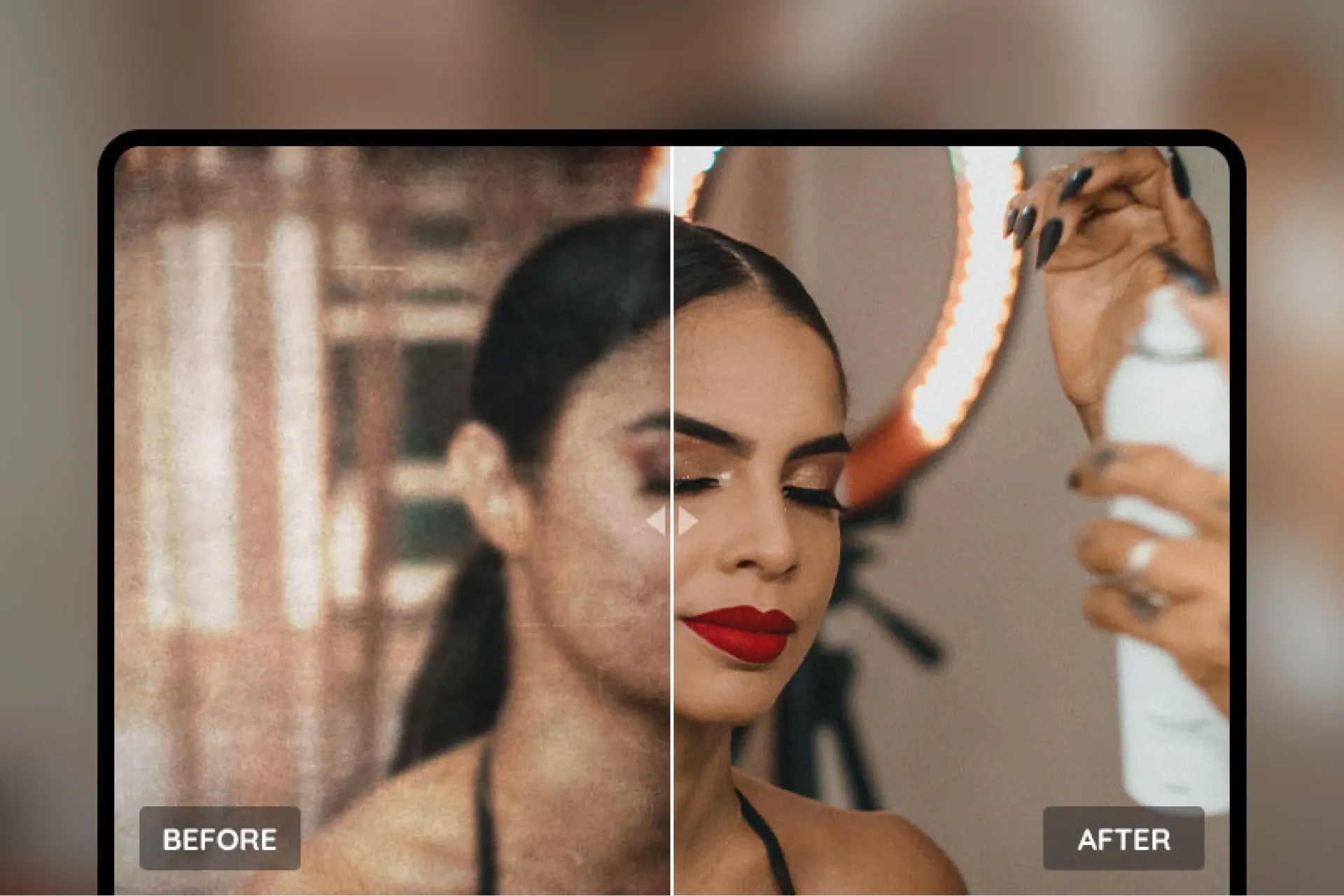
Photos preserve our memories, but time, environment, or technical limitations can cause them to deteriorate, blur, or lose quality. Whether it’s an old family photo, a shaky snapshot, or a low-resolution digital image, the need for photo restoration has never faded. With advancements in Artificial Intelligence (AI), photo restoration has become faster, easier, and more efficient—making it accessible even for beginners with no photo editing experience. This article explores practical scenarios for photo restoration, traditional restoration methods, the revolutionary role of AI, and a roundup of recommended free and paid photo restoration tools to help you preserve your precious memories.
When Do You Need to Restore Photos?
Photo restoration is commonly needed in the following situations:
- Restoring Old Photos: Over time, printed photos may fade, get scratched, torn, or water-damaged. These often carry treasured family memories, and restoring them brings those memories back to life.
- Sharpening Blurry Photos: Photos taken in low-light, with shaky hands, or using low-resolution devices often turn out blurry or noisy. Restoration can improve clarity and detail.
- Repairing Damaged or Missing Parts: Images may suffer from physical damage or digital corruption. Restoration tools can reconstruct these areas.
- Enhancing Low-Resolution Images: Photos from early digital cameras or mobile phones often lack resolution. Restoration can increase sharpness and detail for modern displays.
- Noise Reduction and Colour Correction: Poor lighting or hardware limitations may result in grainy textures or colour distortions. Restoration can improve image quality and restore natural colours.
These scenarios highlight the importance of photo restoration—not just for aesthetics but for preserving meaningful memories in the digital age.
How Were Photos Restored Before AI?
Before the rise of AI, photo restoration required skilled professionals and time-consuming manual techniques. Common traditional methods included:
- Manual Editing: Editors used tools like Photoshop or GIMP to repair scratches, stains, or missing parts with layers, brushes, and cloning tools—requiring advanced skills and significant time.
- Colour Correction and Tone Adjustments: Brightness, contrast, and hue were manually corrected using curves and filters to fix faded or poorly exposed photos.
- Physical Restoration: For printed photos, restorers used chemical treatments to clean and mend physical tears before digitising them for further digital repair.
- Sharpening and Noise Reduction: Basic filters were used to reduce blur or grain, but often introduced artifacts or unnatural results.
While effective, these methods had a high learning curve, were time-intensive, and inefficient for bulk photo processing. AI has drastically changed the game.
How Does AI Restore Photos?
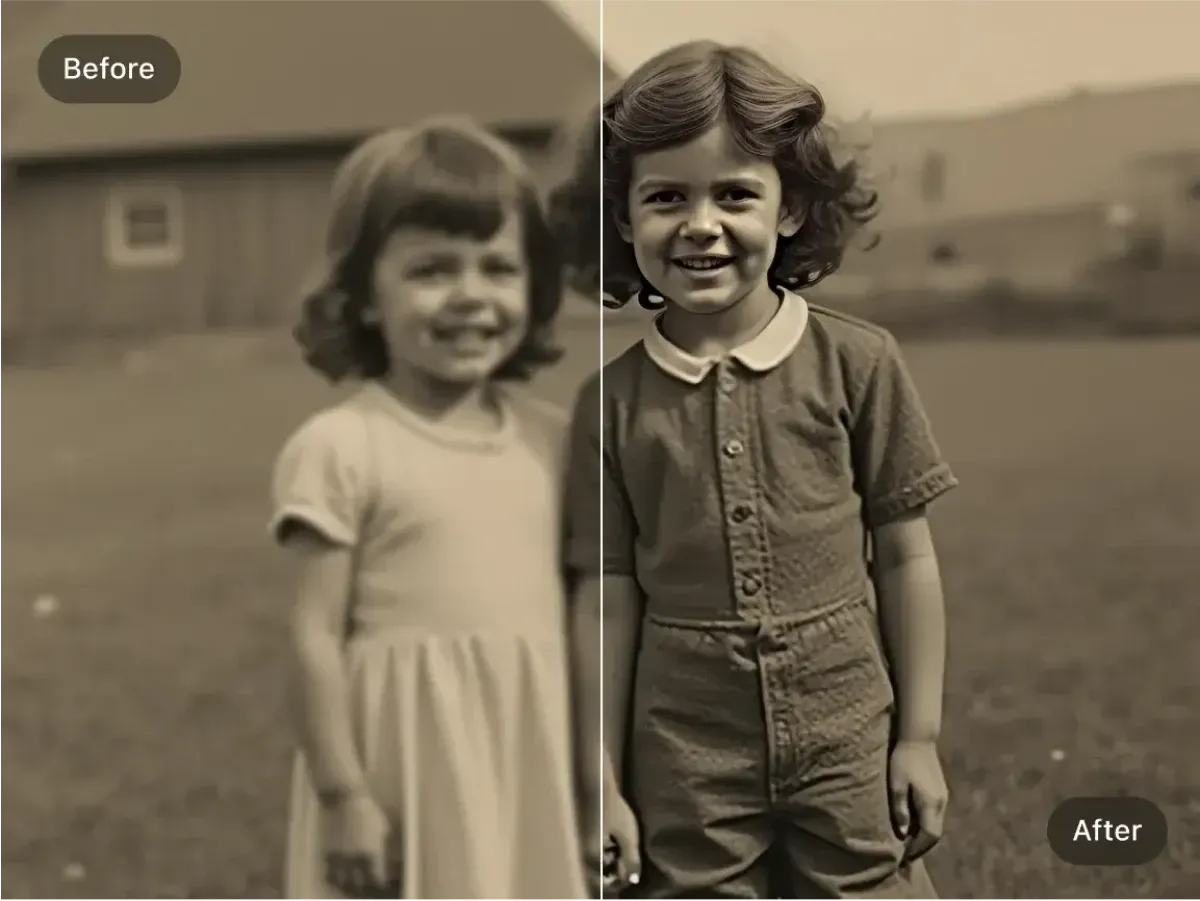
AI restoration tools leverage deep learning and image processing algorithms to revolutionise photo restoration. Key AI applications include:
- Automatic Quality Enhancement: AI analyses lighting, colour, and contrast in photos and auto-adjusts to enhance overall quality. Tools like Fotor and MyEdit fix colour distortions and exposure issues in one click.
- Deblurring and Denoising: AI detects motion blur and noise, then uses generative models to restore lost details. MyEdit’s Deblur and Denoise tools are great for shaky or low-light photos.
- Reconstructing Missing Parts: Generative Adversarial Networks (GANs) can intelligently fill in missing or damaged photo areas to produce seamless results.
- Old Photo Restoration: AI removes scratches, fading, or tears from vintage photos, and can even add realistic colour to black-and-white images (MyEdit and Picwish offer this).
- Lossless Upscaling: AI super-resolution enlarges low-res photos while preserving detail—ideal for restoring old or early digital photos.
The benefits of AI restoration include speed, ease of use, and minimal required skill. Users simply upload an image, and the AI handles the rest—massively improving productivity.
What Photo Restoration Software/Apps Are Available?
Many AI-powered photo restoration tools are available, both free and paid, to suit different user needs. Here are detailed recommendations:
Free App Recommendations
- MyEdit
- Features: Browser-based free AI photo editor offering enhancement, deblurring, denoising, and background removal. No download required—upload and let AI do the work.
- Pros: User-friendly interface, great for beginners, supports various restoration modes like motion blur and vintage photo repair.
- Limitations: High-resolution output may be restricted in the free version; premium features require a subscription.
- Platforms: Web, Mobile.
- Artguru
- Features: Free online tool focused on deblurring, supports Chinese prompts, no software installation needed.
- Pros: Simple to use, produces natural-looking restorations, ideal for quick fixes.
- Limitations: Basic features only; less refined than paid tools.
- Platforms: Web.
- Pixlr
- Features: Offers free AI editing features like quality enhancement, background removal, and creative filters; multi-platform support.
- Pros: Rich features, supports cartoon effects and text overlay, great for creative edits.
- Limitations: Contains ads in the free version; some advanced features require payment.
- Platforms: Web, iOS, Android.
Paid App Recommendations
- Meitu (美圖秀秀)
- Features: Globally popular photo editing app with AI painting, restoration, beauty filters, and one-click vintage photo colourisation
- Pros: All-in-one features with a rich asset library—ideal for selfies and creative edits.
- Pricing: Some functions are free; premium features require a subscription (check official site for pricing).
- Platforms: iOS, Android.
- Movavi Photo Editor
- Features: Professional-grade AI editing software with background removal, enhancement, and object removal; for advanced users.
- Pros: High-precision restoration, supports batch processing, works on Windows and Mac.
- Pricing: Free trial available; full version requires purchase (see website for details).
- Platforms: Windows, Mac.
- Photoroom
- Features: Focused on product photography and portraits; offers AI background removal, enhancement, and background replacement—ideal for e-commerce.
- Pros: Fast processing, API integration, suitable for commercial use.
- Pricing: Some free features; premium version requires subscription (check website for pricing).
- Platforms: Web, iOS, Android.
Preserve Your Precious Memories with Capture’s Photo Album Digitisation Service
Do you have a box full of old photographs, worried that they may fade or get damaged over time? Now, you can preserve these treasured memories by digitising them with Capture.HK’s professional photo album digitisation service. Our service allows you to convert your old photos into high-quality digital files, ensuring they are safely stored and easily shareable.
At Capture.HK, we use high-resolution scanning technology to restore your photos with sharp details and vibrant colours, maintaining their original quality. We also offer various file formats, making it easy for you to access and share them across different devices. Most importantly, we handle your photos with utmost care, ensuring they are safely processed and preserved.
The Frame Digital Photo Frame
Want to relive your digital memories every day? Capture’s The Frame digital photo frame is the perfect solution! Designed to showcase your most cherished moments, The Frame allows you to display a lifetime of memories in one elegant frame.
With its sleek design and high-resolution display, The Frame offers an effortless way to organise and enjoy your favourite photos. Simply digitise your photo collection, upload them to The Frame, and enjoy your memories anytime, anywhere.
Whether placed in the living room, bedroom, or office, The Frame adds a touch of warmth and personality to your space. More than just a decorative item, it’s a meaningful gift that brings your treasured moments to life.
Get The Frame today and enjoy your memories every day!
References:
- 20 Recommended AI Drawing Software Tools – Free and Paid Options! Unlock Your Creativity and Make Creation Easier! – hububble
- YouCam
- 5 Recommended AI Photo Editing Apps and Online Tools – Easy to Use Even for Beginners! – cyberlink
- [Hands-on Review] Top 5 Free Photo Editing Software in 2025 – Easily Edit Great Photos (App/Online) – Perfect
- MyEdit
- [2025 Edition] 8 Best AI Photo Editing Software and App Recommendations – movavi
Extended Readings:
Loading...