Old Photo Restoration: 17 Effective Tools
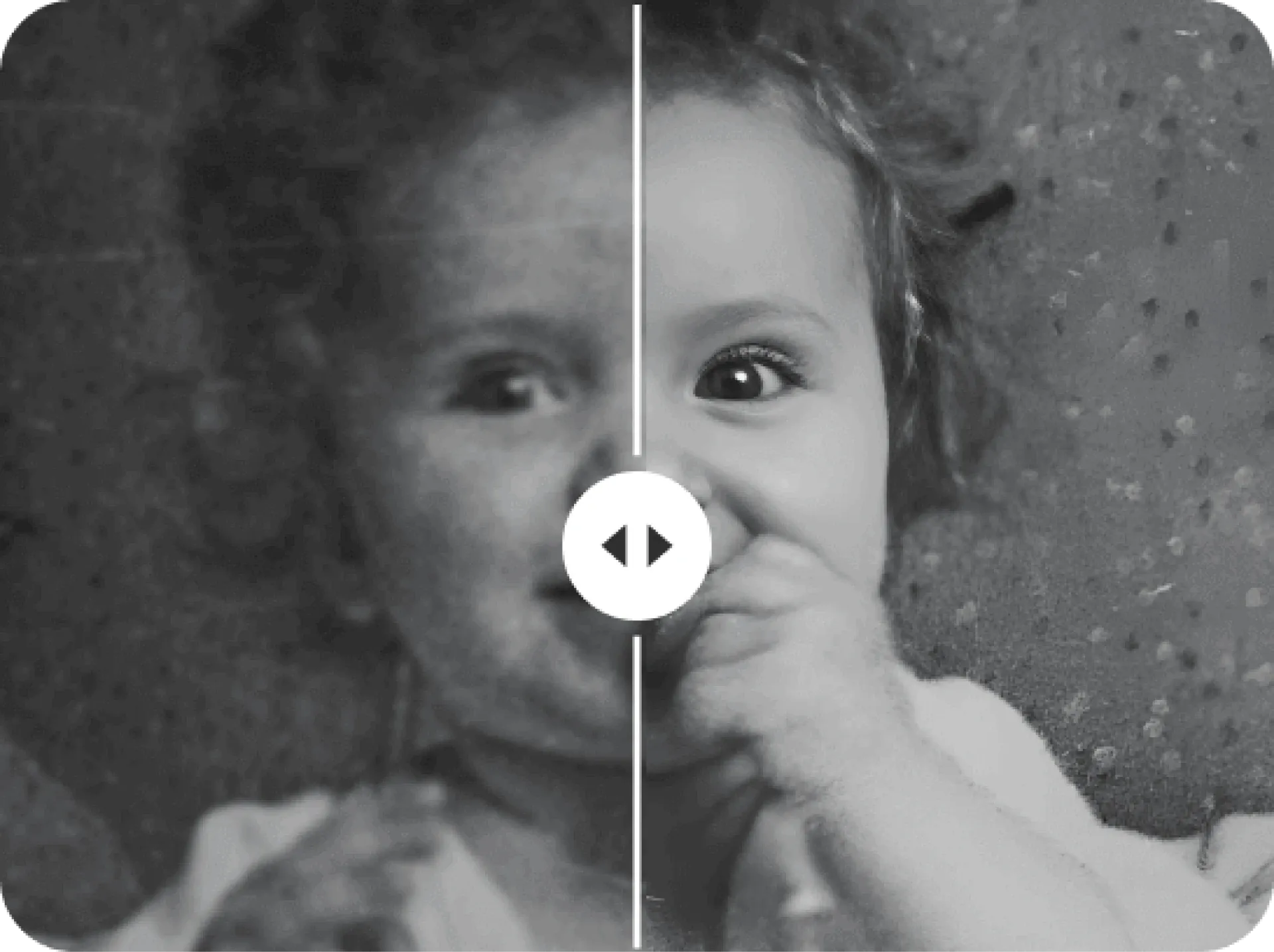
Do you have shoeboxes, photo albums, scrapbooks, and folders full of old photographs? Then it’s time to preserve those photos and the memories they contain by restoring them and potentially digitising them into long-lasting heirlooms.
Capture has preserved photographs and other memories for millions of families, and we want to ensure you do the same before they fade or get lost & damaged. That’s why we put together this guide to 17 great options for old photo restoration.
Keep reading to learn about old photo restoration as well as options like Capture.HK, VanceAI, Fotor, Google Photos, Snapseed, and many more.
What is Old Photo Restoration?
Photo restoration typically refers to the process of fixing imperfections in old photographs. That’s because your old photos won’t last forever and are bound to start fading and becoming discoloured. They can even tear, have water damage, or become lost.
In the modern world, when you restore old photos, you create digital copies that you can colourise, retouch, and edit. Your old memories can be restored to like-new condition, while also being preserved for future generations as digital copies.
Modern photo restoration can remove blemishes, fill in tears and scratches, return vibrant colours, add colours to a black & white photo, and even produce high-resolution images. In some cases, you may even be able to use AI technology to animate old family photos!
So, what services, editing tools, and applications can you use to fix old photos? Read on to find out!
Professional Photo Restoration Services
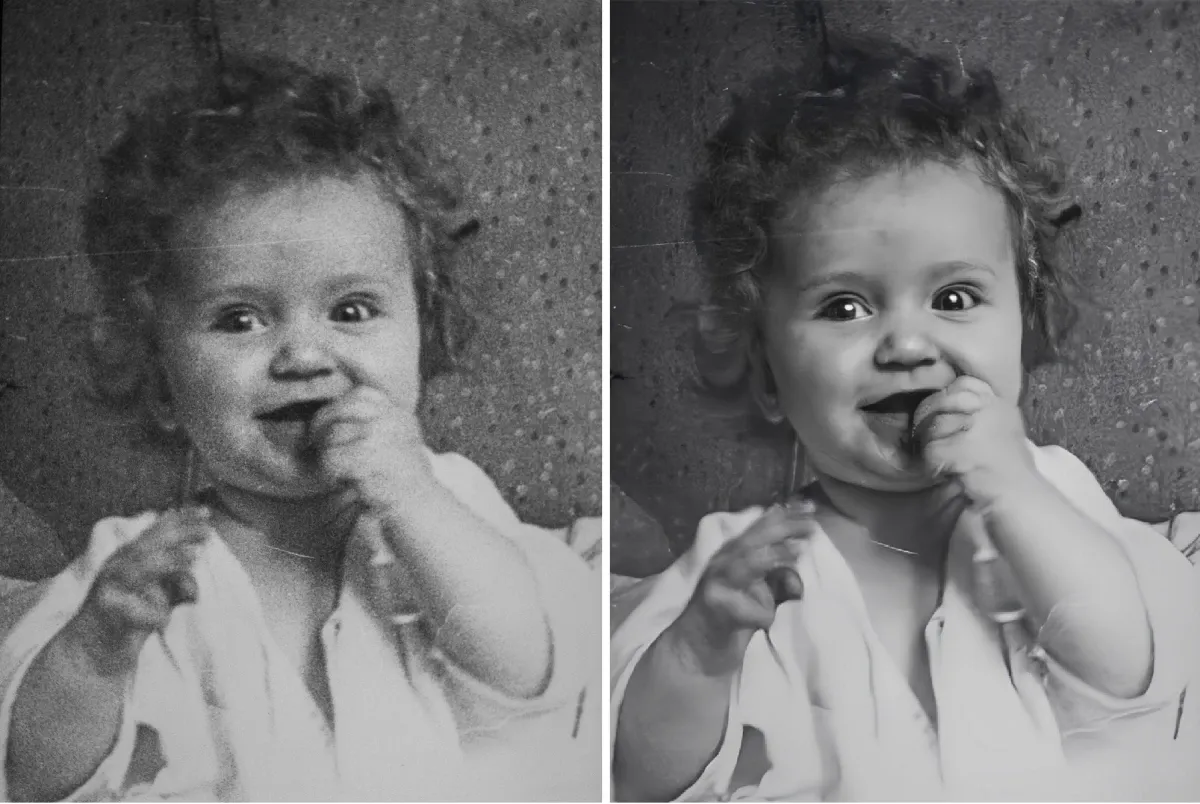
Professional photo restoration services are probably the highest-quality method to restore pictures and there are several options to choose from including Capture, and FixThePhoto.
1. FixThePhoto
FixThePhoto offers professional photo editing and retouching starting at HK$19.50 per image. This includes colour adjustments, lighting correction, shadow editing, water damage repair, removing stains, and even unique services like skin texture and facial detail retouching and airbrushing.
They also offer tons of great reviews and have won several awards including making the COOL DIGITAL 2022 list of Top Photo Editing Services. However, they have a poor 2.6-star rating on TrustPilot with complaints pointing out poor quality vintage photo restoration.
2. Capture.HK
Capture.HK isn’t primarily a photo restoration service, but we can digitise your entire photo collection including Polaroid pictures, negatives, Kodachrome, slides, photo prints, and much more. This is an important step in the photo restoration process, ensuring the photos are ready to be restored, edited, combined, and shared digitally.
To ensure top-quality restoration, our state-of-the-art equipment delivers JPEG copies of the highest photo quality. In fact, your satisfaction will be guaranteed.
More importantly, our multi-million-dollar facilities monitor and track your precious memories throughout the restoration process, through every hand, and back to you within 14-28 days or less.
While we don’t offer photo restoration as a standalone service, our photograph digitisation services come with glare removal, cropping, and colour correction in the process. Capture.HK also offers digitisation for your old home movies, creating digital copies that are perfect for video restoration.
No wonder we have over 12 million happy customers saying things like, “I could tell right away this was a HIGH-QUALITY scan!” With over 100 5-star reviews, we’re a top choice for your memories.
AI-Powered Photo Restoration Software
These days, some of the best photo restoration software leverages the power of advanced AI to deliver unprecedented results. Here are some options to consider if that’s what you’re looking for.
3. VanceAI
As the name suggests, VanceAI offers AI-powered restoration packed into easy-to-use software. This includes AI image upscale, AI image sharpener, denoiser, background remover, and more. You can even generate new backgrounds, turn images into cartoons, or create AI artwork out of your old photos.
Plus, you can try it or download it for free, but you will have to pay for credits to receive the completed images.
4. Adobe Photoshop
Photoshop is one of the most popular AI photo restoration tools for digital photo restoration, offering a complete suite of tools including painting, retouching, cropping, colourisation, healing brush, and filters. However, some new users find it a little complex compared to other options.
5. Luminar AI
This newer option offers a lot of different photo editing features including changing the skies, replacing damaged sections with new pixels, adjusting the colour, and relighting scenes. You can also remove the background or add people from one photo to another. Plus, you can use it for a full year for only HK$2099.
6. Remini
Remini is one of our favourite AI options because it’s perfect for old photo restoration. That’s because it offers photo repairs, so you can restore damaged photos and enhance faded ones. You can also use it to boost colour vibrancy without making the photos look unnatural. Even better? It’s highly affordable at HK$71 per month!
7. Topaz Photo AI
For HK$1553 you can use Topaz Photo AI including their suite of apps like Denoise AI, Gigapixel AI, and Sharpen AI. You can use it to create high-definition photos and images, and we find that it’s easier to use than Photoshop.
Online Photo Restoration Tools
To simplify your old photo restoration project, you might want to consider some of these online photo editors and restoration tools.
8. Fotor
Fotor is an all-in-one app that can help you with everything from digitising photos and negative film to AI face enhancement, old photo colourisation, photo sharpener, and super-resolution. It even has an easy-to-use Auto Colour Fixer that’s really cool!
9. PicMonkey
This desktop app offers photo editing and design tools including a clone tool that can paint over scratches to repair damaged old pictures to like-new condition. It works really well and combined with the editing tools can make for a fun photo restoration process.
10. MyHeritage In Color
This is one of the easiest-to-use options for colonising black-and-white photographs, but it can also be used to restore faded photos. While their old photo restoration online tools don’t do much more than that, it’s a great choice if that’s what you’re looking for.
11. Colourise.com
Colourise.com uses AI to colonise photos. While that’s the only type of restoration it can provide, it works pretty well. Even better? It’s 100% free to use, so you might as well give it a shot for your old-fashioned camera photos! Just upload the PNG, JPG, or other digital copies of your old images, and get colonised versions back.
DIY Photo Restoration Methods
Here are a few more do-it-yourself old damaged photo restoration options that you might want to consider for image restoration.
Using Mobile Apps
There are a few mobile apps for both iPhone and Android that you can use to turn old images into new photos.
12. Google Photos
Google Photos preserves your photos by storing them securely in the cloud, but they also offer AI tools that can sharpen blurry photos, erase unwanted objects, and enhance sepia-toned images.
13. Snapseed
If you want to upscale images on your phone, then Snapseed photo restoration app is a great choice. It’s free and works to identify old photos and use filters to make them clearer. You can use the healing tool to remove imperfections and the other tools to adjust colour, contrast, and other adjustments.
14. PhotoDirector
This Microsoft app works on Windows and some mobile devices using AI algorithms, allowing you to denoise, deblur, and image upscale all at the same time. That makes it an exceptionally fast option for removing camera blur, enhancing colours and tone, and removing objects that you don’t want in the restored photo.
Using Physical Restoration Techniques
In addition to digital photo restoration, you might want to consider physical restoration techniques for your old photos, photo slides, and negatives.
15. Cleaning
You can use compressed air or a very soft brush to clean dust and debris off of an image. Additionally, you can use a light cleaning liquid to get dried dirt and grime off of photos. We recommend using a cotton swab with a combination of rubbing alcohol and distilled water.
16. Using Archival Pens for Small Touch-Ups
You can purchase archival pens and use them to make small touch-ups for scratches and other damage. However, be careful to ensure it isn’t overly noticeable in the image. In fact, it might be a good idea to digitise the photo first to make sure you save it. Then, you can digitise it again after you restore it.
17. Organising Photos
To ensure you can always find the photos you’re looking for and keep the memories properly preserved, it’s important to follow best practices for organising photos. While you can organise them in any way you choose, having a system is important. Some common organisational categories include chronological, by event, by person, by theme, and by type of photo (whether Polaroid, fill rolls, print, slide, or negative).
Comparing the Options: Which is Best for You?
So, out of all these different old photo restoration options, how can you choose the best one for you and your precious photographs? Here are some factors to consider:
- Cost: This is important, but always remember you get what you pay for. That being said, any of the free options are always worth a shot!
- Time: Restoring old photos takes a lot of time, especially if you also have to digitise them. Services on the other hand will do all that work for you.
- Skill Level: Some apps are incredibly easy to use, but others are more complex. However, some retouching and other features will require a higher skill level than AI-powered colourisation for example.
- Quality: Professional services are always the highest quality, with the more professional and expensive software options being next. Keep in mind that some of the cheaper tools might look overly restored if you aren’t careful.
Capture Photo Album Digitisation
Old photo restoration is an important process to ensure you never lose your precious images and that they always look like they are new. We hope that these different options have helped you make the best decision for you and your precious memories, whether you want to use a professional service, AI-powered software, mobile app, or online tool.
If you want the highest quality digitisation plus scratch removal and colour correction for your old photos, click here to learn about Capture’s photo scanning services.
Loading...