An In-Depth Comparison of the Best VHS to Digital Conversion Software and Services
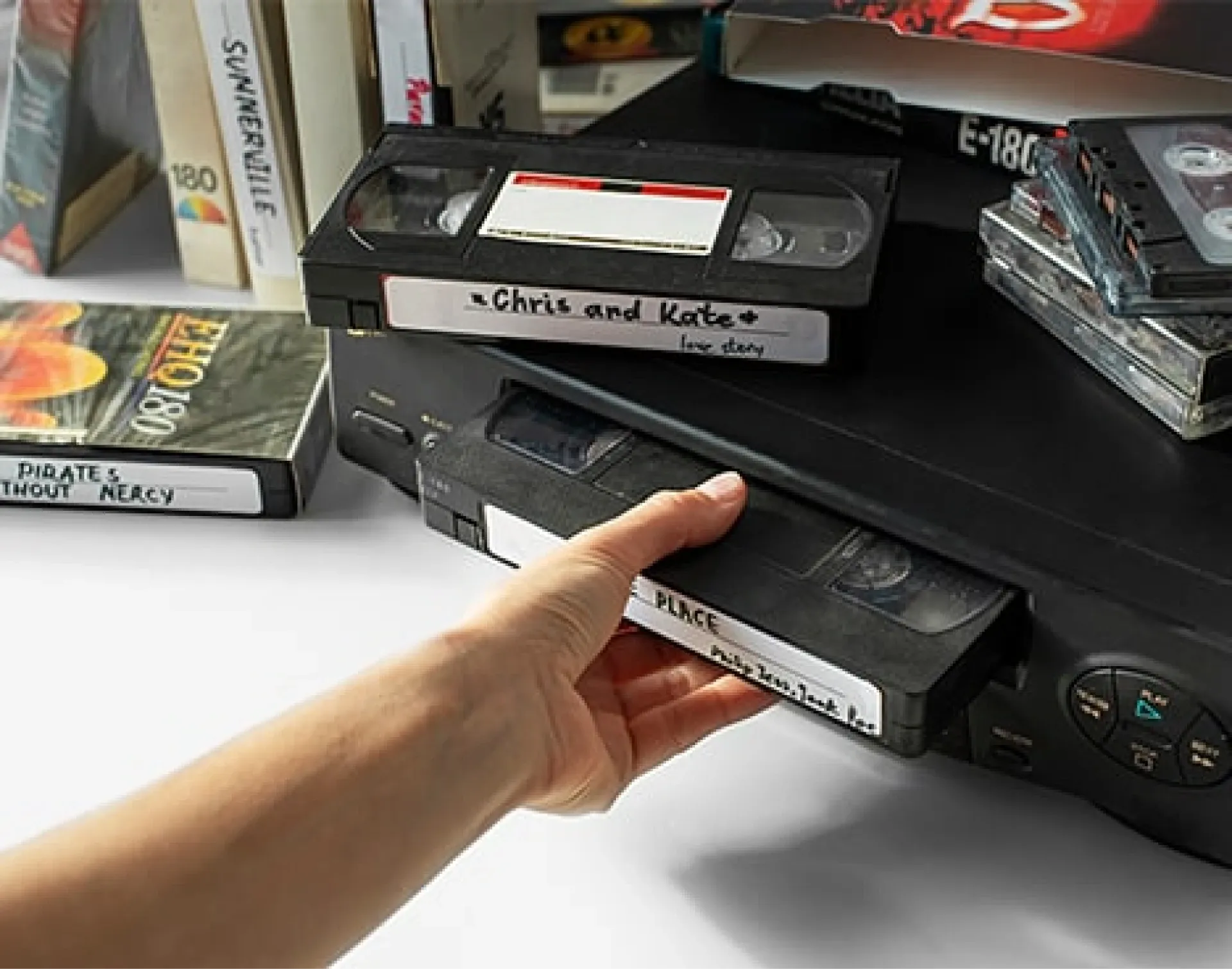
Lots of families have piles of VHS tapes containing home movies and priceless memories, but fewer families have a VCR to view them. Even if you do have a VCR, you can’t share analogue videotapes over email and social media. Plus, VHS tapes won’t last forever and are likely already deteriorating in quality.
That’s why software for converting VHS to digital is so popular because it allows you to update your old home movies for modern use and quality. Capture has been digitising VHS tapes and other memories for over 20 years, so we know which digital converter software options are the best so you can make the best choice for your memories.
Keep reading to learn about VHS to digital conversion, the top software solutions for creating high-quality digital copies, the pros and cons of software versus professional services, and so much more!
Understanding VHS to Digital Conversion
For years, VHS tapes were the best way to record and view memories, but the old movie format has been almost completely replaced by digital streaming, downloads, and DVDs. That’s where VHS to digital conversion comes in, but it requires a few steps.
First, you have to have hardware to read the analogue data on analogue video format. This is typically done with a camcorder or a VHS VCR. Second, you need hardware to connect it to a computer, which can be simple cables or using a digital converter, of which there are many options.
Finally, you need the software to ensure the conversion process. Sometimes the software is built directly into a digital converter while other times it’s a separate platform to finalise conversion. That may seem like a lot, but there are tons of great benefits of converting VHS to digital video.
With digital formats, you can edit them and improve image quality. Plus, they are easier to share on social media and email with friends and family. However, the biggest reason to digitise VHS is simply to preserve the memories forever.
That’s because old video recording formats like VHS, VHS-C, and S-VHS will gradually degrade, compromising all the home movies included on the magnetic tape. Digital copies ensure the family memories contained in your last VHS movies last forever.
So, what is the best software for converting VHS to digital? Keep reading to discover the top options!
Top Software Solutions for VHS to Digital Conversion
There are hundreds of different video capture cards and software for converting VHS to digital, but not all of them are created equal.
To find the best options, we compared the quality of the results, how easy they were to use, price, extra features, and other factors to determine the absolute best on the market today. While we primarily focused on the software, the digital converter hardware also played a role in our list.
VIDBOX Video Conversion Suite
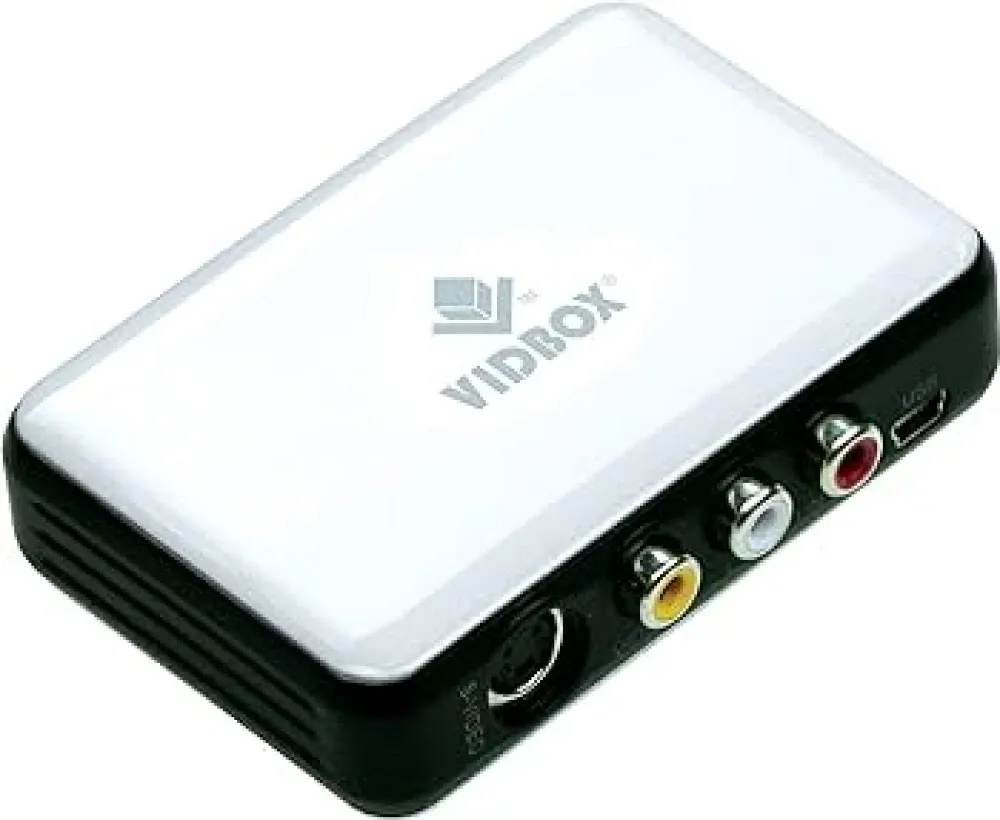
When it comes to excellent software for turning VHS cassettes into digital copies, VIDBOX Video Conversion Suite is a great choice that also comes with high-quality hardware to connect to your VCR or other method for how to watch old video camera tapes.
This VHS to digital converter suite is available for both Mac OS 10.12 or higher and Windows 10 and 11 users. It offers USB ports to easily connect to a computer while RCA cables connect to the VHS playback device. The software walks you through the process which makes it perfect for beginner VHS to digital users. It can create MPEG, WMV, and MP4 file formats as well.
Despite its simplicity, it also offers a variety of great features including the ability to manage all your digital videos, upload to a DVD, edit and combine recordings, and even add menus, transitions, special effects, and text.
Pros | Cons |
|
|
Elgato Video Capture Device
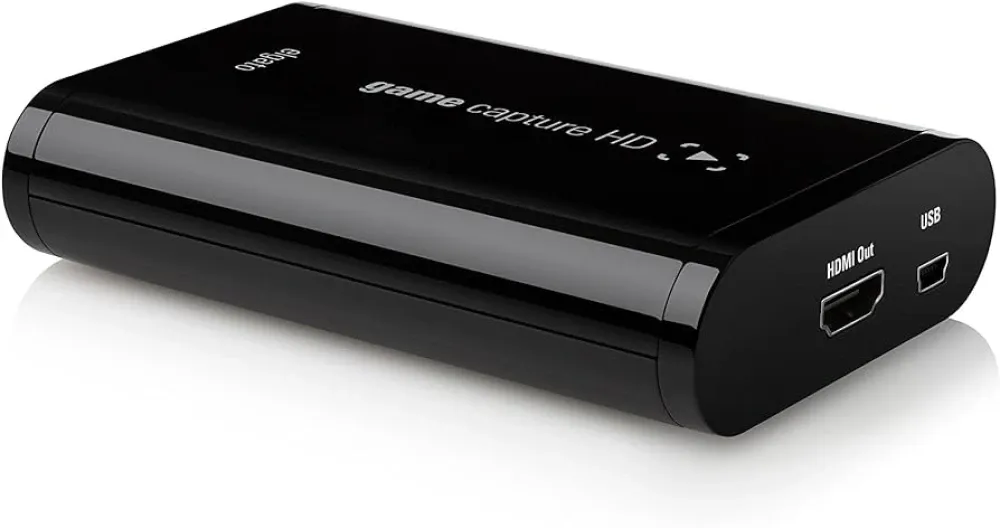
This video capture card is exceptional with an easy-to-use software interface and the ability to work with most modern Mac and PC options. However, double-check compatibility before choosing, because it doesn’t work on all systems.
The video converter platform makes it incredibly easy to upload your digitised VHS tapes to the cloud or YouTube as well as to a DVD or USB drive. It can also work with NTSC, SECAM, PAL, and PAL/60 VHS video formats.
The video resolution is good with 640x480 and 640x360 available, but the audio quality is a little lacking compared to some other software for converting VHS to digital. Still, it’s a good choice and can connect directly from RCA AVI to USB inputs.
Pros | Cons |
|
|
Roxio Easy VHS to DVD Converter
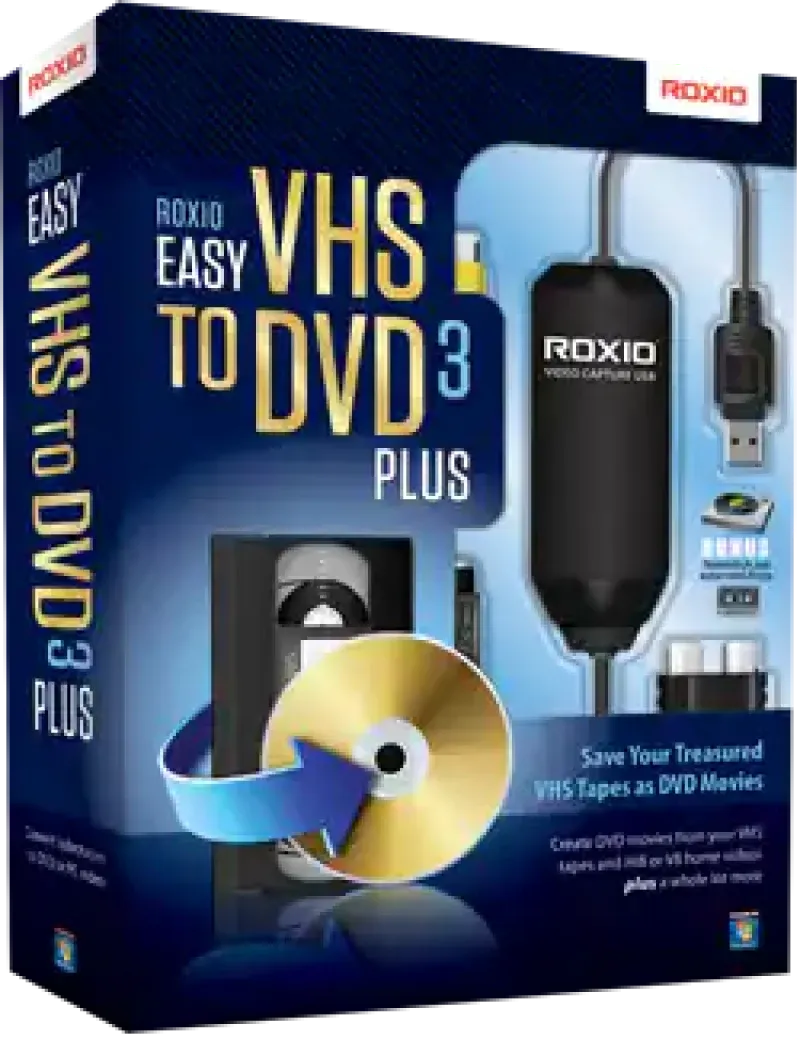
This VHS video converter includes hardware and software and is perfect if you want to create DVD copies of your home movies. It is also great for transferring video files to CDs, SD cards, USB flash drives, and other physical media.
Even better, Roxio includes some video editing software that allows you to make resolution changes and even cut scenes out of video, creating great videos of your most precious memories. However, it isn’t the best in quality overall, but for around HK$351 on Amazon, it’s a pretty good deal anyway, which is why it lands on our list of the top VHS digitisation software.
Pros | Cons |
|
|
ClearClick Video to Digital 2.0
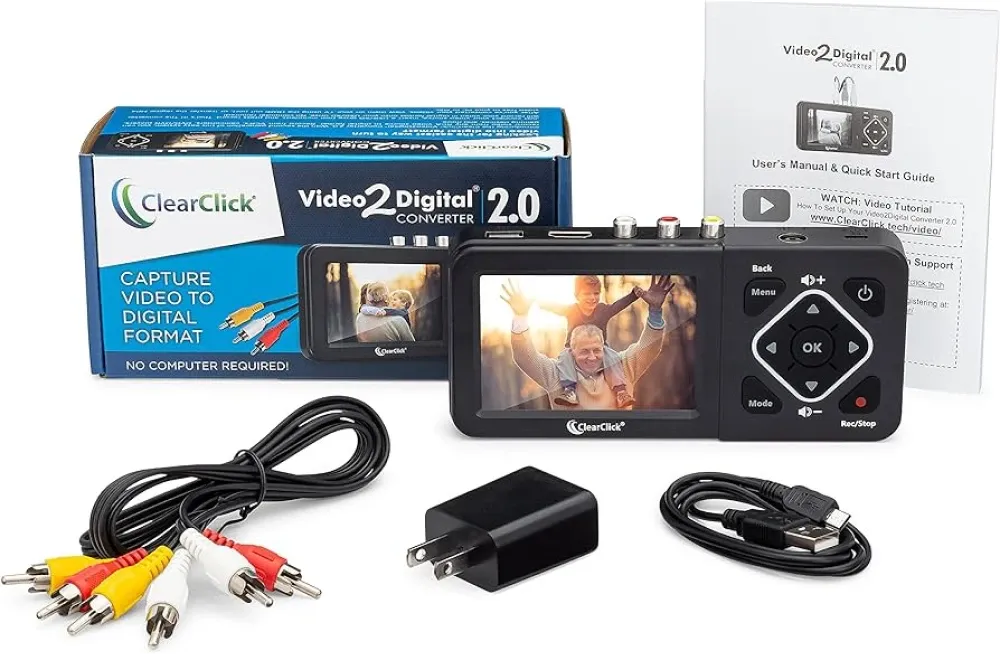
This is one of our very favourite VHS digital transfer solutions because it’s an all-in-one hardware and software tool. With a built-in screen, you can watch your home movies during real-time transfer and the recording resolution can be as good as 720x480.
Since it has a screen and built-in software, you don’t need to download it to a computer (or even have a computer at all!). Just plug the RCA cables in and record videos directly to USB or SD card. If you don’t have a USB or SD card, you can still connect the HDMI cable to your computer to transfer that way.
Pros | Cons |
|
|
Golden Videos VHS to DVD Converter
The last option on our list of the best VHS conversion software is a lesser-known choice and only includes the software, but it’s really good at what it does. Golden Videos offers the ability to save as digital Avi or mpeg, but you can also use it to burn to a DVD.
The best part about it is all the editing tools it offers that are easy for a beginner to use. You can automatically correct defects in your VHS tapes, restore brightness, sharpness, and colour, and set audio recording levels. Plus, you can easily add titles and captions.
The best part? It’s 100% free to download. The only downside is that you will still need the hardware for analogue to digital video conversion as well as adapters and cables to connect them to your computer and upload to your hard drive.
Pros | Cons |
|
|
Comparing VHS to Digital Conversion Services
While using software for converting VHS to digital can be a great choice, there are some downsides. First, you have to convert every video in real time, which means it can be extremely time consuming.
Additionally, it can be hard to get software settings right for optimal conversion. Maybe more frustrating of all is the fact that you need a VHS player. While you can still find VCRs for sale, it adds another step, and they can cost more than you’d think.
Another option is to have your VHS tapes turned into digital files professionally by a digital conversion service. VHS tape digital conversion services utilise the highest quality equipment to produce the highest quality results.
We’re probably biased, but we believe Capture is clearly the best option. Not only do we offer an industry-leading 14-day turnaround time, but we’ve been trusted by over 12 million customers and have positive reviews.
Plus, our state-of-the-art facilities are the best in the world, and we monitor your precious memories every step of the way to ensure they are never lost or damaged. Additionally, if your VHS tapes have minor damage, then we’ll perform repair and case replacement as needed!
Don’t just take our word for it though. Check out some of the reviews for yourself on our review page!
DIY vs Professional Conversion: What's Best for You?
There are benefits of both DIY VHS-to-digital conversion tools and choosing a professional service. The main factors to consider include cost, time, and quality.
When it comes to cost, doing it yourself will likely be cheaper, especially if you are planning on doing dozens of VHS tapes yourself. However, make sure you consider the cost of a VCR or camcorder as well as the digital converter and software for converting VHS to digital. You might end up spending more if you want a Sony VCR than you would an off-brand but will probably get better results too.
The main downside of doing it yourself though, is the time it takes. You will have to convert in real time, which means you could spend hours on a single VHS tape. If you have tons of VHS tapes, it might be much cheaper to do it yourself, but you could spend years converting them in your free time.
Finally, the quality for all the listed options above is pretty good, but you can never beat professional digital transfer. That being said, you can add software (like the free Golden Videos) to professional conversion to not only get the best results, but also to add text, adjust audio, and do more with your digital memories.
Professional Digitisation Service Provider
There are tons of great options when it comes to software for converting VHS to digital, but some of the best include the dependable Roxio VHS to DVD converter, the high-quality VIDBOX suite, the free Golden Videos, and the all-in-one ClearClick 2.0.
However, if you want the absolute best results for a great price delivered in 14 days or less, choose Capture. We not only convert VHS tapes of all types but can digitise other videotapes like MiniDV and Hi8. Click here to start your VHS digitisation order today!
Loading...