[Google Photos Organisation] 12 Practical Tips to Easily Categorise Your Most Precious Photos

Do your phone and computer hold thousands of photos? Not sure how to organise tens of thousands of images? In this article, Capture shares 12 tips to help you effectively organise the precious photos in your Google Photos account, making your digital memories more orderly, easier to share, and safer to preserve.
Why You Need to Organise Your Photos
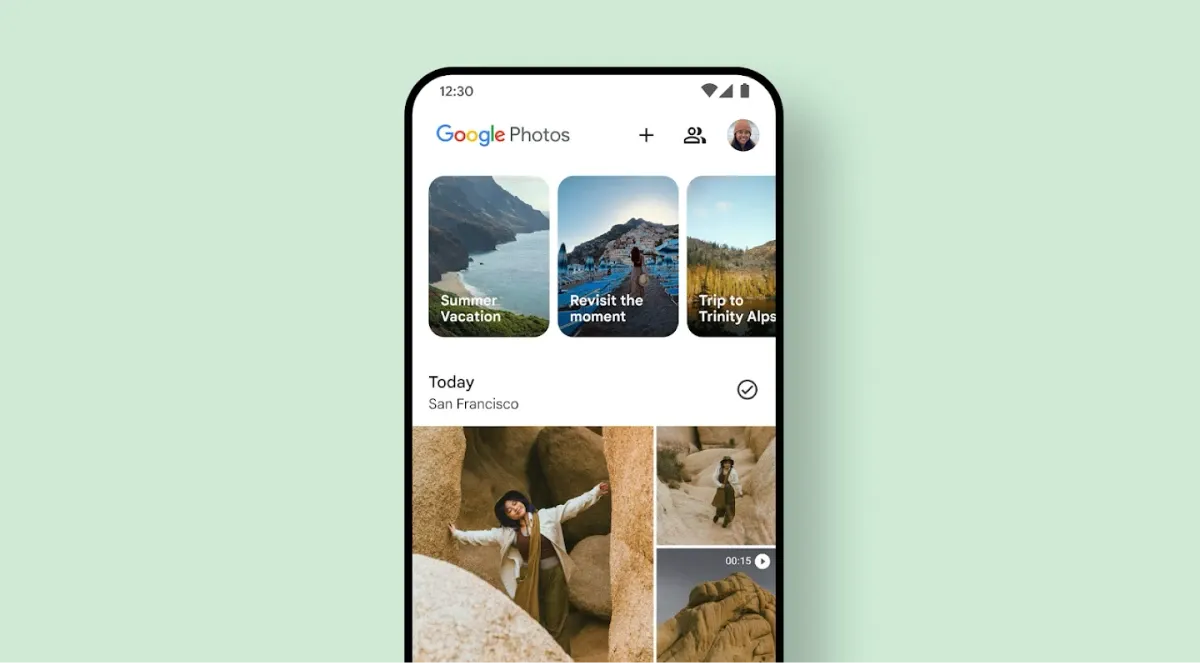
Organising your photos helps you quickly locate specific memories, avoid duplicate storage, and efficiently manage your growth records or work materials. It also keeps your entire library neat and user-friendly—especially important when you have a huge collection (e.g. over 100,000 photos).
1. Use Albums for Categorisation (Manual and Automatic)
Google Photos lets you assign any photo to multiple albums for flexible classification. The system also automatically suggests travel or event albums based on your calendar and highlights top picks, saving you the time of sorting. You can also create and name albums manually to suit your needs.
2. Create a Travel Journal with Albums
Arrange photos in chronological or geographical order, add captions and maps, and organise your travel memories like a story. The result is a vivid, easy-to-read photo-journal of your trips.
3. Shared Albums for Collaborative Uploading
Invite family or friends to contribute to the same album. Everyone can upload photos and leave comments, centralising your travel or event shots and making photo-sharing more interactive and fun.
4. Automated People-and-Pet Albums
By tagging specific faces—people or pets—Google Photos will automatically group related images into dedicated albums, efficiently preserving memories of loved ones or your furry friends as they grow.
5. Auto-Share Family Photos
Set up automatic sharing of photos featuring certain people with designated family members. Photos taken by anyone in the group will flow directly into each other’s albums, cutting down on manual transfers and organisation.
6. Auto-Tag Locations for DSLR Photos
Using image recognition and Google Maps data, Google Photos can auto-tag the shooting location of photos from cameras without built-in GPS, making it effortless to search by place later.
7. Batch-Edit Incorrect Location Data
When photos are tagged with the wrong location or you want to standardise the tag for a trip, use Google Photos’ batch-edit feature to correct multiple images at once, saving you from editing each photo individually.
8. Batch-Adjust Wrong Timestamps
Time-stamp errors often occur when travelling across time zones or migrating files. Google Photos lets you correct the date and time on many photos in one go, ensuring your timeline view and searches stay accurate.
9. Auto-Backup Photos from Apps like LINE
Not only camera shots—set Google Photos to automatically back up images from LINE, Instagram, and other apps, consolidating all your visual content in one place.
10. Archive Document-Type Photos
For photos of documents, receipts, or other records, use the “Archive” feature to separate them from everyday snapshots. This keeps your main library tidy and makes document-type images easier to find.
11. Free Up Phone Storage
Once your photos are backed up to Google Photos, you can safely delete them from your device. Use the built-in “Free up space” tool to clear your phone’s storage with a single tap, keeping your device running smoothly.
12. Reclaim Cloud Storage Space
High-quality photo backups are free, but original-quality uploads count against your Google Drive quota. Use Google Photos’ one-tap conversion to turn originals into high-quality (compressed) copies, easily recovering cloud storage space.
Preserve Your Precious Memories with Capture’s Photo Album Digitisation Service
Do you have a box full of old photographs, worried that they may fade or get damaged over time? Now, you can preserve these treasured memories by digitising them with Capture.HK’s professional photo album digitisation service. Our service allows you to convert your old photos into high-quality digital files, ensuring they are safely stored and easily shareable.
At Capture.HK, we use high-resolution scanning technology to restore your photos with sharp details and vibrant colours, maintaining their original quality. We also offer various file formats, making it easy for you to access and share them across different devices. Most importantly, we handle your photos with utmost care, ensuring they are safely processed and preserved.
The Frame Digital Photo Frame
Want to relive your digital memories every day? Capture’s The Frame digital photo frame is the perfect solution! Designed to showcase your most cherished moments, The Frame allows you to display a lifetime of memories in one elegant frame.
With its sleek design and high-resolution display, The Frame offers an effortless way to organise and enjoy your favourite photos. Simply digitise your photo collection, upload them to The Frame, and enjoy your memories anytime, anywhere.
Whether placed in the living room, bedroom, or office, The Frame adds a touch of warmth and personality to your space. More than just a decorative item, it’s a meaningful gift that brings your treasured moments to life.
Get The Frame today and enjoy your memories every day!
References:
- How to Organise and Categorise Over 100,000 Photos in Google Photos? 13 Tips – playpcesor
- 8 Reasons Why You Must Organise Your Photos – 360doc
- It’s Just Photo Organising, Why Does It Have to Be So Complicated? – digiphoto
- Photo and File Structure Organisation —
- Unconventional Methods, Theories, Ideas, etc. – reddit
Over 100,000 Photos in Google Photos? It's - Overwhelming — 13 Tips to Help You Organise Them – thenewslens
- 140,000-Word Interview Question Summary and Organisation – Wishing You Success in Landing a Big Tech Front-End Offer (Original) – 51cto