AI Video Generation Guide: How to Automatically Generate Videos from Text/Photos? (Includes Tool Recommendations)
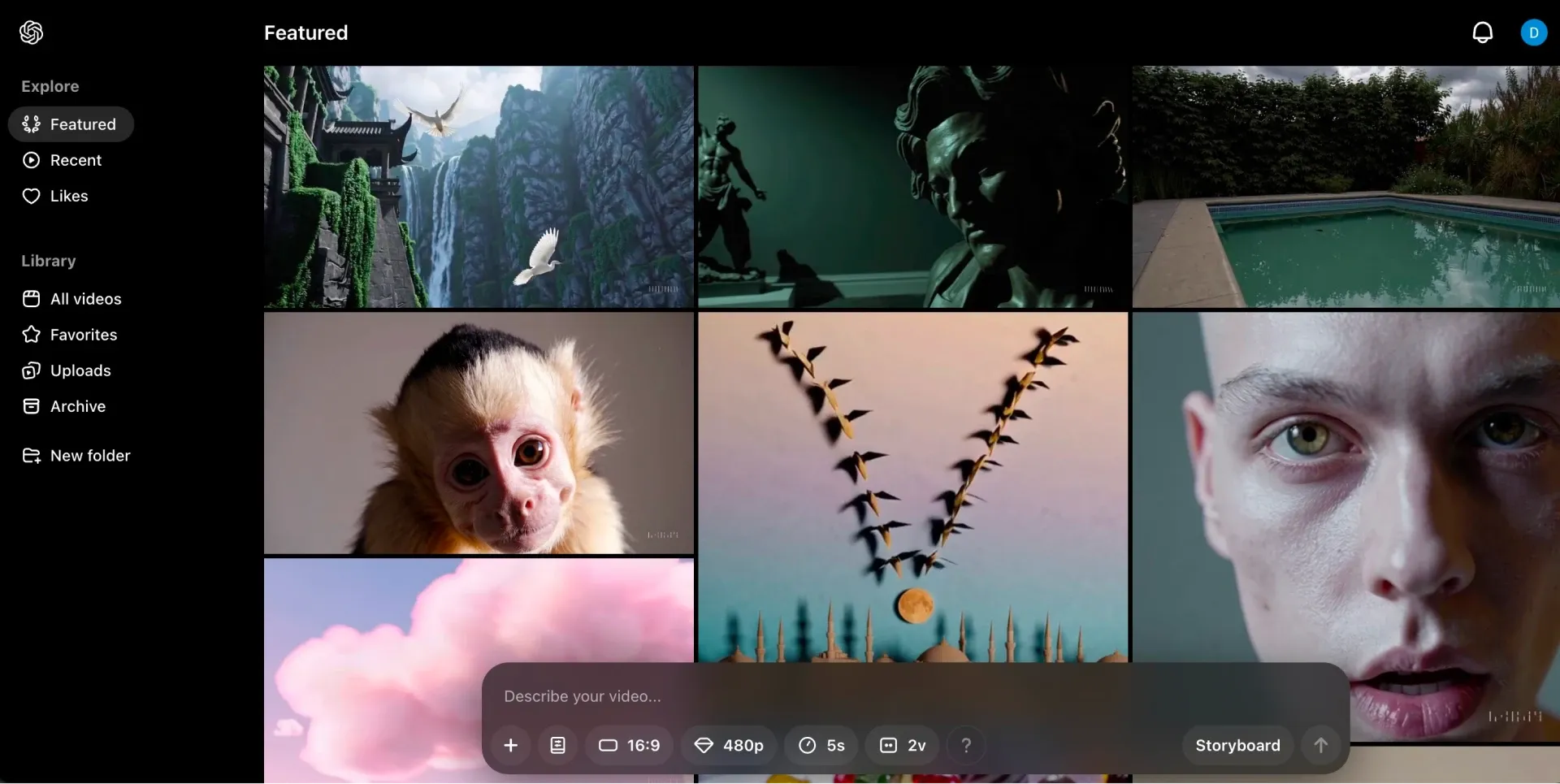
In the digital age, video has become the most effective medium for engaging audiences, conveying information, and boosting brand influence. Compared to text and photos, video’s dynamic visuals and sound are far more effective at capturing attention. However, traditional video production is time-consuming and technically demanding, posing a challenge for individuals and small businesses. Thanks to advances in artificial intelligence (AI), generating videos from text or images has become fast and simple—even beginners can easily create professional-grade videos. This article will explore the appeal of video, traditional production methods, how AI is revolutionising video generation, what to watch out for when creating content, and recommend both free and paid AI video tools to help you craft engaging videos with ease.
Why Video Attracts More Attention Than Text or Photos
Video has unparalleled advantages in engaging viewers due to its multi-sensory presentation:
- Enhanced memory through audiovisual combination: Video combines visuals, audio, and animation, stimulating multiple senses. Studies show that audiovisual content is more memorable than plain text.
- Emotional resonance: Dynamic scenes, background music, and voiceovers convey emotion effectively, helping to build deeper connections with audiences—ideal for brand storytelling or ads.
- High engagement: Video content is shared more frequently than text or images on social media. For instance, short videos on YouTube or TikTok quickly attract clicks and interaction.
- Efficient communication: A 30-second video can convey the information found in several pages of text, making it perfect for explaining complex concepts or product features.
- Multi-platform adaptability: From Instagram Reels to corporate training videos, the versatility of video formats meets diverse platform and audience needs.
These advantages make video the preferred medium for content marketing, education, and entertainment. AI further lowers the production barrier, making video creation more accessible.
How Were Videos Made Before AI?
Before AI became widely accessible, creating videos was complex and time-intensive, often requiring professional tools and expertise:
- Planning and scripting: You first needed to determine the topic, target audience, and storyboard, then manually write a script including scenes and dialogue.
- Shooting and recording: Using professional cameras, lighting, and microphones to shoot high-quality footage. This required a crew, actors, and location setup.
- Post-production editing: Editing software like Adobe Premiere or Final Cut Pro was used to trim footage, add transitions, adjust colour, and mix audio—requiring technical skill.
- Visual effects and animation: Tools like After Effects were used to add animations or special effects, significantly increasing time and cost.
- Review and publishing: The final product needed multiple rounds of review and formatting for various platforms.
For non-professionals, this process was expensive and time-consuming. A short video could take days or even weeks to complete.
How Does AI Automatically Generate Videos from Text/Photos?
AI leverages deep learning, natural language processing (NLP), and image generation to automatically turn text and images into videos—a revolutionary advancement:
- Text-to-Video: Users input a script or description, and AI generates matching visual content. For example, typing “a cat chasing a laser pointer in the living room” can produce a dynamic scene with realistic cat movements and room details.
- Image-to-Video: AI can animate static images—e.g., adding moving clouds or flowing water to a landscape photo to create an animated video.
- Voice and subtitle generation: AI converts text into natural-sounding speech and auto-generates subtitles, supporting multilingual translations (e.g., Synthesia offers over 140 languages).
- Template and asset integration: AI tools include extensive template libraries and media assets (like InVideo’s 6,000+ templates) that automatically align with your script to generate polished videos.
- Auto-editing and optimisation: AI can split scenes, add transitions and background music—all without manual editing, saving enormous time.
AI’s main strengths are speed and ease of use, enabling even beginners to create high-quality videos effortlessly.
AI Video Generation Tips – What to Watch For and How to Improve Quality
Though easy to use, there are important tips to ensure your AI-generated videos are high-quality:
- Precise prompts: Provide clear and specific text input—describe scenes, character actions, and camera angles (e.g., “a wide shot transitioning to a close-up”) for better results.
- Check input quality: If using images, ensure they are high-resolution and noise-free to improve output video quality.
- Choose the right template: Match the template style to the video’s purpose (e.g., social media vs. corporate training) to maintain consistency.
- Iterate: AI-generated videos may not be perfect on the first try. Refine prompts and regenerate as needed to improve results.
- Mind copyright and ethics: Ensure all content and assets used comply with copyright laws and avoid generating controversial material.
Tips to enhance quality:
- Use professional terms for camera motion (e.g., pan, zoom) to add cinematic effects.
- Choose high-resolution export options (like 4K) to boost clarity.
- Ensure voice tone matches the video’s mood; manually adjust if needed.
- Use built-in post-editing tools to fine-tune transitions, subtitles, and audio.
What AI Video Generation Tools Are Available?
There are various AI video generation tools on the market, both free and paid, to suit different needs. Here are some recommended options:
Free Tools
- Clip Creator
- Features: Designed for beginners, no editing experience required. Uses a guided Q&A interface to help users create videos from text.
- Pros: Completely free, supports animations and multilingual translation. Great for quick short video creation.
- Cons: Limited editing features, lacks advanced controls like brightness/contrast.
- Platform: Web-based.
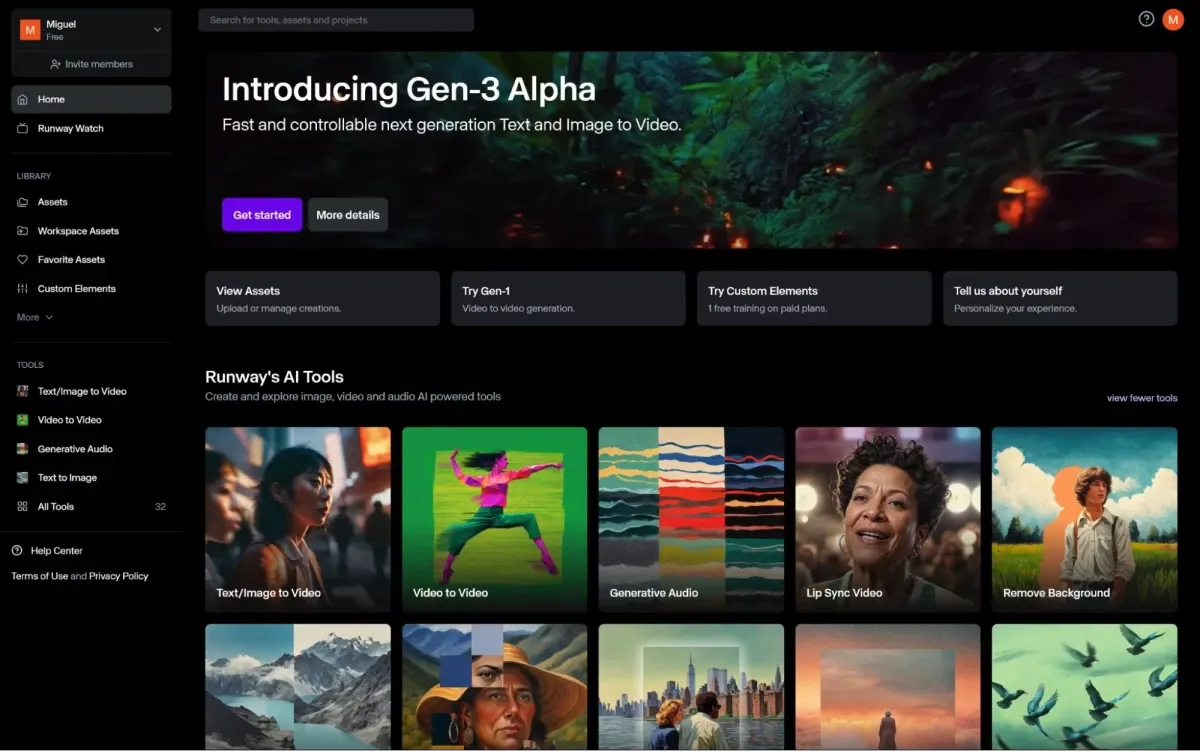
- Runway (Free Trial)
- Features: Supports both text and image-to-video generation with Gen-3 Alpha model, capable of high-quality short video production.
- Pros: Offers 125 free generations, watermark-free output during trial. Ideal for creative content.
- Cons: Free version has usage limits; high-resolution exports require payment.
- Platform: Web, iOS, Android.
- InVideo AI (Free Version)
- Features: Generates videos from text, automatically adds subtitles, music, and transitions. Supports 50+ languages.
- Pros: Free plan offers 10 minutes of video per week, suitable for social media creators.
- Cons: Free videos include watermarks; advanced features require a subscription.
- Platform: Web, iOS, Android.
Paid Tools
- Synthesia
- Features: Creates videos with AI avatars, supports 140+ languages with voice and subtitles. Ideal for training, marketing, and customer support videos.
- Pros: Offers 230+ avatars, supports team collaboration, one-click translation, fast video generation.
- Pricing: Free plan includes 3 minutes/month; paid plans start at $29/month.
- Platform: Web, iOS, Android.
- Fliki
- Features: Tailored for social media shorts. Supports text-to-video, voice generation, and multi-scene creation with built-in media library.
- Pros: Supports 50+ languages, user-friendly interface, perfect for quick content creation.
- Pricing: Free plan includes 5 minutes/month; paid plans start at $21/month (billed annually).
- Platform: Web-based.
- Elai
- Features: Uses AI avatars and voice to generate videos, supports 75 languages, includes pre-built templates. Great for education and marketing.
- Pros: Offers interactive elements and voice cloning; good for batch video creation by teams.
- Pricing: Free trial available; paid plans start at $29/month.
- Platform: Web-based.
Preserve Your Precious Memories with Capture’s Photo Album Digitisation Service
Do you have a box full of old photographs, worried that they may fade or get damaged over time? Now, you can preserve these treasured memories by digitising them with Capture.HK’s professional photo album digitisation service. Our service allows you to convert your old photos into high-quality digital files, ensuring they are safely stored and easily shareable.
At Capture.HK, we use high-resolution scanning technology to restore your photos with sharp details and vibrant colours, maintaining their original quality. We also offer various file formats, making it easy for you to access and share them across different devices. Most importantly, we handle your photos with utmost care, ensuring they are safely processed and preserved.
The Frame Digital Photo Frame
Want to relive your digital memories every day? Capture’s The Frame digital photo frame is the perfect solution! Designed to showcase your most cherished moments, The Frame allows you to display a lifetime of memories in one elegant frame.
With its sleek design and high-resolution display, The Frame offers an effortless way to organise and enjoy your favourite photos. Simply digitise your photo collection, upload them to The Frame, and enjoy your memories anytime, anywhere.
Whether placed in the living room, bedroom, or office, The Frame adds a touch of warmth and personality to your space. More than just a decorative item, it’s a meaningful gift that brings your treasured moments to life.
Get The Frame today and enjoy your memories every day!
References:
- We tested out the 13 best AI video generators for creatives - lummi
- I've spent 200 hours testing the best AI video generators — here's my top picks - Tom’s Guide
- 13 Best AI Video Generators to Use - HubSpot
- The 11 best AI video generators in 2025 - Zapier
- The 13 Best AI Video Generators (Free & Paid) to Try in 2025 - synthesia
Extended Readings:
Loading...