AI Video Watermark Removal: Technical Principles, Tool Comparison, and Practical Guide
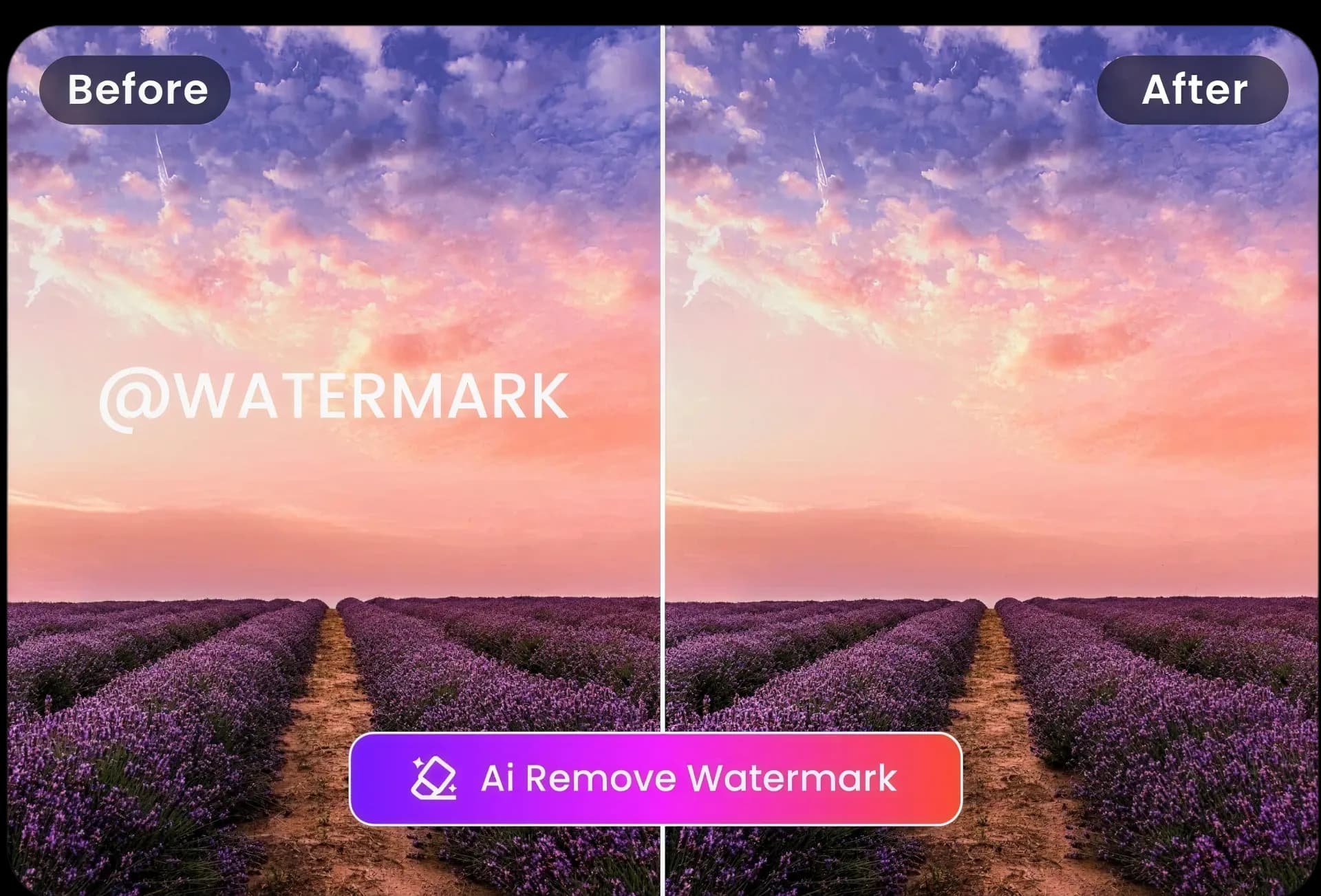
With the rise of short videos and online video creation, watermarks have become a major obstacle to viewing experience and secondary creation. Leveraging deep learning and image reconstruction technologies, AI watermark removal can not only precisely locate and intelligently fill in missing pixels but also preserve image details and texture, providing content creators with an efficient and automated post-production solution.
Technical Principles of AI Video Watermark Removal
AI video watermark removal mainly operates through three coordinated steps: Mask Detection, Inpainting, and Temporal Consistency.
1. Mask Detection
Uses Convolutional Neural Networks (CNN) or object detection models (such as Faster R-CNN, YOLO) to automatically detect the position and range of watermarks.
For transparent or semi-transparent watermarks, the model must learn different colour and texture features to improve detection accuracy.
2. Inpainting
Uses Generative Adversarial Networks (GAN) or Diffusion Models to reconstruct the masked area.
The algorithm generates image patches that match the background based on surrounding pixels and semantic content, ensuring no obvious traces remain after watermark removal.
3. Temporal Consistency
Video watermark removal must consider frame-to-frame continuity to avoid flickering or jitter in the reconstructed results.
Temporal models (such as ConvLSTM, 3D-CNN) or Optical Flow estimation are used to ensure smooth transitions in the watermark removal results.
Comparison of Mainstream AI Watermark Removal Tools
| Tool Name | Technical Framework | Core Features | Advantages | Target Users | Official Website |
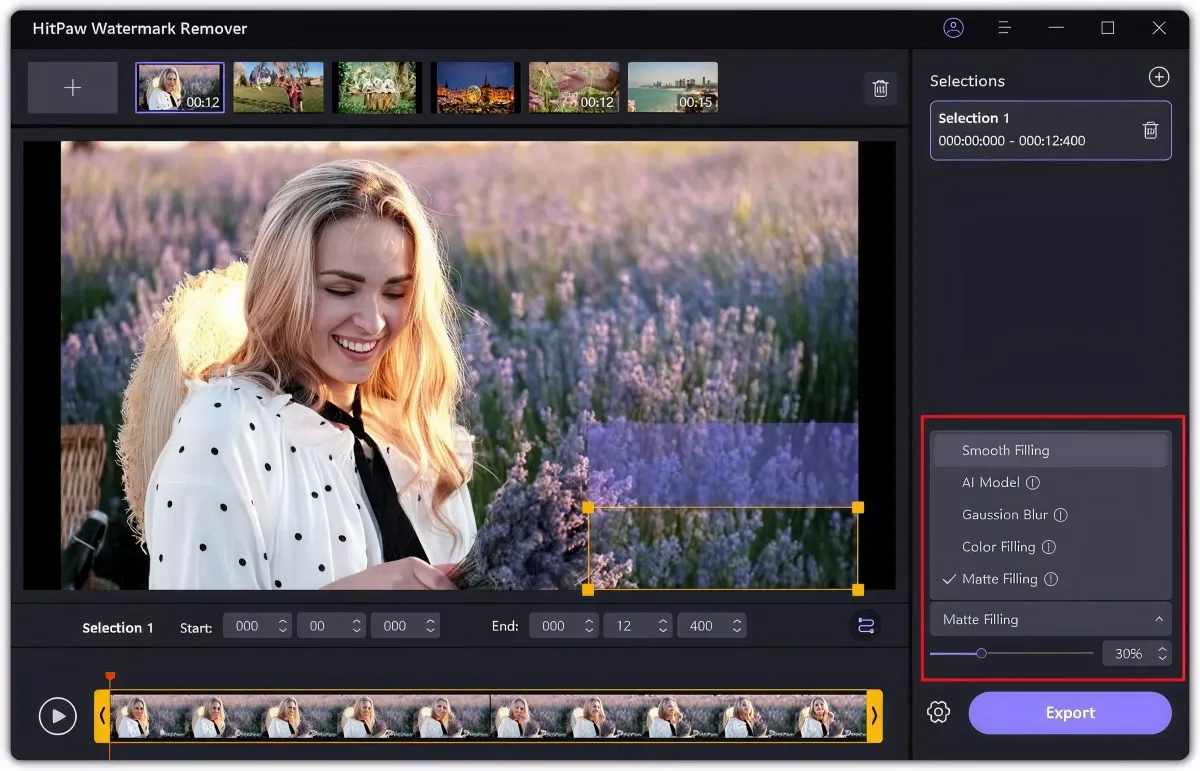
| HitPaw Watermark Remover | GAN + PatchMatch | One-click watermark removal, partial or full selection | Easy to use, supports Windows & macOS | General users, content creators | https://www.hitpaw.com/watermark-remover.html |
| Apowersoft Video Watermark Remover | Temporal Optical Flow + Inpainting | Batch watermark removal, supports multiple video formats | Batch processing, automation scripts | Small studios, video editors | https://www.apowersoft.com/video-watermark-remover.html |
| Wondershare Filmora AI | Proprietary deep learning model | Intelligent watermark removal, image enhancement, auto filters | All-in-one post-production suite, rich visual effects | Professional editors, social media creators | https://filmora.wondershare.com/video-watermark-remover.html |
| Video Eraser (iOS/Android) | U-Net + Mobile-Optimized | One-tap watermark removal on mobile, supports photos & videos | Minimalist interface, real-time preview | Mobile users, social media editors | https://www.video-eraser.com/ |
| DeOldify Video | Deep Diffusion Model | Black-and-white video colourization with simultaneous watermark removal | Open-source, easy to customise | Developers, researchers | https://github.com/jantic/DeOldify |
Workflow and Practical Recommendations
1. Prepare and Back Up Footage
- Fully back up the original video to avoid overwriting in case of failed watermark removal.
- Depending on watermark position and video length, decide whether to crop key segments for testing.
2. Watermark Area Annotation
- If the tool does not support auto-detection, use manual selection to mark the watermark area.
- For dynamic watermarks (moving with the camera), use multi-point annotation or tracking boxes.
3. AI Removal and Parameter Adjustment
- Test on a short clip first, adjusting removal strength, repair area size, and smoothness.
- Check edge transitions and detail preservation to avoid blurring surrounding areas.
4. Full Batch Processing
- Once test results are satisfactory, enable batch removal.
- Use GPU-accelerated tools to shorten processing time.
5. Post-Processing Colour and Quality Optimisation
- After watermark removal, perform colour grading and sharpening to compensate for detail loss.
- If temporal flicker occurs, fine-tune frame matching or apply slight blur smoothing.
Case Studies
Case 1: News Channel Clip Watermark Removal
A news platform needed to remaster its old news archive by removing original advertiser watermarks and adding new background music.
- Used Apowersoft for batch watermark removal combined with FFmpeg automation scripts, processing over 100 videos within 24 hours.
- Applied Filmora AI for colour correction and subtitle addition to enhance remastered content quality.
Case 2: Educational Video Repurposing
An online education institution repurposed public course materials into short clips, removing the original channel watermark and adding its own branding.
- Tested with HitPaw to ensure the inpainting model preserved blackboard text details.
- After batch processing, used Video Eraser mobile version for quick previews, enabling on-the-go editing.
Advantages and Limitations of AI Watermark Removal
Advantages:
- Significant Post-Production Efficiency: Transforms manual frame-by-frame repair into automated batch processing, saving over 80% of time.
- Detail Preservation: Modern AI models can reconstruct backgrounds contextually, avoiding visible repair marks.
- Lower Technical Barrier: Non-professional editors can complete complex restoration with simple operations.
Limitations:
- Extremely Complex Backgrounds: When watermarks cover highly dynamic or detail-rich areas, reconstruction quality drops significantly.
- Legal and Ethical Risks: Removing copyright marks or commercial watermarks may infringe intellectual property rights or violate platform rules.
- Temporal Consistency Issues: Ignoring time-based smoothing can cause flicker or discontinuity in the video.
Future Development and Trends
- Multimodal Enhancement: Combining semantic understanding, auto-subtitling, and image restoration for smarter, content-aware watermark removal.
- Human-AI Collaborative Adjustment: AI offers multiple reconstruction options for users to switch and select the best result with one click.
- Cloud-Based Real-Time Services: No need to install large software—API or browser-based real-time watermark removal for lightweight, cross-platform use.
- Blockchain Traceability: To protect copyright, embed verifiable digital native marks after watermark removal, balancing removal with rights protection.
Preserve Your Precious Memories with Capture’s Photo Album Digitisation Service
Do you have a box full of old photographs, worried that they may fade or get damaged over time? Now, you can preserve these treasured memories by digitising them with Capture.HK’s professional photo album digitisation service. Our service allows you to convert your old photos into high-quality digital files, ensuring they are safely stored and easily shareable.
At Capture.HK, we use high-resolution scanning technology to restore your photos with sharp details and vibrant colours, maintaining their original quality. We also offer various file formats, making it easy for you to access and share them across different devices. Most importantly, we handle your photos with utmost care, ensuring they are safely processed and preserved.
The Frame Digital Photo Frame
Want to relive your digital memories every day? Capture’s The Frame digital photo frame is the perfect solution! Designed to showcase your most cherished moments, The Frame allows you to display a lifetime of memories in one elegant frame.
With its sleek design and high-resolution display, The Frame offers an effortless way to organise and enjoy your favourite photos. Simply digitise your photo collection, upload them to The Frame, and enjoy your memories anytime, anywhere.
Whether placed in the living room, bedroom, or office, The Frame adds a touch of warmth and personality to your space. More than just a decorative item, it’s a meaningful gift that brings your treasured moments to life.
Get The Frame today and enjoy your memories every day!
References:
- Apowersoft Video Watermark Remover Official Website – apowersoft
- HitPaw Watermark Remover Tutorials and Examples – hitpaw
- Wondershare Filmora AI Feature Overview – filmora.wondershare
- Video Eraser App (iOS/Android) Download and Guide – video-eraser
- DeOldify Video GitHub Open-Source Project – github