【Memorial Video】Tips for Creating a Retrospective Video to Remember Loved Ones

Memorial videos allow us to look back on the beautiful times spent with our loved ones and express our respect and remembrance as we bid them farewell. Capture has compiled some techniques for creating retrospective videos to help you preserve eternal memories and express your respect and remembrance for your loved ones.
The Meaning of Memorial Videos
Evoking Memories and Emotional Resonance
Memorial videos can evoke the beautiful times we spent with the deceased, whether laughter or tears; these precious memories will become eternal in our hearts. Through the combination of images and music, the video can profoundly touch the audience's emotions, allowing everyone to collectively recall and feel the impact brought by the deceased.

Commemorating and Remembering Important Moments of the Past
Memorial videos are not only about remembering the deceased but also commemorating the significant moments in their lives. Through the presentation of the video, these moments can be revisited and cherished again.
Conveying Love and Longing for the Deceased
In the process of creating a memorial video, we can convey our deep love and endless longing for the deceased by selecting special photos and video clips. This is not only a tribute to the deceased but also a release and expression of our own emotions.
Presentation Methods for Memorial Videos

Life Story Approach
Presenting a memorial video through the life story approach is a warm way to commemorate and remember our departed loved ones. The video typically showcases the deceased's life, significant moments, and precious memories in a storytelling format, integrating photos, video clips, music, and text to create a touching and profound memorial.
Below are some possible contents included in a life story approach memorial video:
- Life Review: The memorial video can display the life journey of the deceased, from birth to growth, to significant life milestones such as marriage, career, and children. By connecting these clips and photos, the video can show the deceased's growth and development.
- Precious Memories: The memorial video can also share the deceased's precious memories, including family gatherings, holiday celebrations, travel adventures, and other special moments. These clips will lead the audience to recall the happy times of the deceased and let them feel their vitality and warmth.
- Feelings of Friends and Family: Friends and family can share their memories and feelings about the deceased in the memorial video. They can talk about the deceased's personality, values, sense of humour, and express their longing and love for the deceased.
- Music and Poetry: Choosing suitable music and poetry is an important part of the memorial video. Soft background music and touching verses can enhance the video's atmosphere and resonate with the audience. Choosing music loved by the deceased or tracks with special significance can also add a personal touch to the video.
- Subtitles and Visual Effects: Using subtitles and visual effects can help the audience better understand the content of the video and create a more artistic visual effect. Subtitles can present important dates, quotes, or tributes to the deceased, while appropriate visual effects can increase the emotional intensity and drama of the video.
Steps to Create a Memorial Video
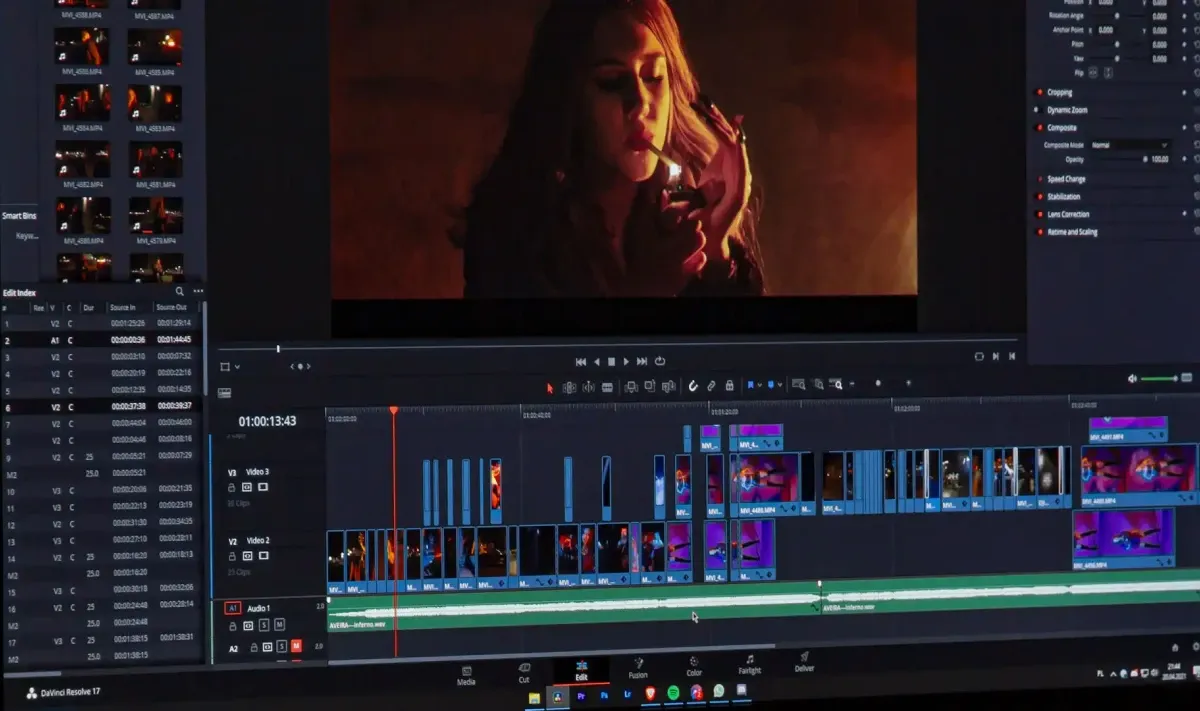
1. Collect Materials
The first step in creating a retrospective video is to collect materials. These materials can include:
Photos: Select representative photos from family albums.
- Photos: Select representative photos from family albums.
- Videos: Clips from family recordings, birthday parties, travels, etc.
- Music: Choose a background music track that resonates emotionally.
2. Plan the Video Structure
Before starting to edit, plan the structure of the video. Arrange the materials based on chronological order or themes, such as:
- Childhood: Review childhood photos and videos of the loved one.
- Growing Years: Show important moments during the growth process.
- Shared Memories: The warm times spent with loved ones.
3. Choose Suitable Editing Software
There are many video editing software options available, such as:
- iMovie: Suitable for Mac users, easy to operate, and fully functional.
- Adobe Premiere Pro: Professional-grade software with powerful features, suitable for experienced users.
- Filmora: Suitable for beginners, easy to use, and offers various templates and effects.
4. Edit the Video
- Import Materials: Import the collected photos, videos, and music into the editing software.
- Clip Segments: Edit the video based on the planned structure, ensuring each segment expresses specific emotions.
- Add Transition Effects: Use transition effects to make the video smoother, such as fade-ins and fade-outs, and transition effects.
- Insert Text: Add titles and descriptions to the video to enhance the storytelling and emotional expression.
5. Add Background Music and Sound Effects
Choosing suitable background music can enhance the emotional expression of the video. Consider using songs loved by the deceased or music that can evoke a sense of resonance.
6. Adjust and Export the Video
Preview and Adjust
After completing the editing, preview the video multiple times to ensure there are no omissions or inappropriate parts. Make adjustments as needed to achieve the best effect.
Export the Video:
Choose an appropriate format and resolution to export the video, ensuring it maintains good quality when played on different devices. Common formats include MP4 and MOV.
7. Share the Memorial Video
Once the memorial video is completed, it can be shared through various methods and platforms:
- Social Media: Facebook, Instagram, YouTube, etc. These platforms not only allow more people to view the video but also make it easy for them to comment and share.
- Email: Send the video link or file directly to friends and family to ensure they can easily view it.
- Cloud Services: Use cloud storage services like Google Drive, Dropbox, etc., to share the video, ensuring the quality and viewing experience.
- Private Website or Blog: For more private or personalised sharing, post the video on a private website or blog.
Methods and Recommendations for Preserving Memorial Videos
To ensure that the memorial video can be preserved for a long time, pay attention to the following points:
- Backups: Backup the video to multiple storage devices, such as external hard drives, USB flash drives, etc., to avoid losing the video due to device failure.
- Cloud Storage: Use cloud storage services to save the video, which not only allows for easy access anytime and anywhere but also ensures that the video is not easily lost.
- Physical Media: Burn the video onto a DVD or Blu-ray disc for long-term preservation and playback when needed.
The Frame Digital Photo Frame
If you want to relive the wonderful moments spent with your loved ones, Capture The Frame digital photo frame is just what you need. It brings together countless precious memories, showcasing the most valuable moments of your life.
The Frame not only boasts an elegant design and high-quality display but also features simple and easy-to-use functions, allowing you to effortlessly manage and display your photos. You can digitise and store your photos in The Frame, enjoying these cherished memories anytime, anywhere.
Whether placed in the living room, bedroom, or office, The Frame adds a touch of warmth and personality to your space. It is not just a beautiful decorative piece but a precious gift that can brighten your life.
Purchase The Frame now and relive your precious memories with your loved ones every day! Shop now.
Reference:
- (Chinese) Experiences and Insights on Creating Memorial Tribute Videos - Medium
- (Chinese) The Ultimate Guide to Making Memorial Videos: Everything You Need to Know! - Pixnet
- (Chinese) Memorial Video Production, Projector Setup for Playback, Photography for Funerals, and Videography Services - Pass Old Time
Loading...