[Passport Photos] Standard Sizes, Prices, and Free Photo Apps Guide
Common Types of Passport Photos
Passport photos have various uses. Below are a few common types:
- Passport: Essential for passport applications and international travel. Strict size and specification requirements must comply with the standards of the International Civil Aviation Organisation (ICAO).
- Identity Card: A Hong Kong resident identification document, required for accessing government services and business purposes.
- Driver’s License: Required for applying or renewing a driver's license.
- Student ID: Proof of student identity, facilitating access to campuses and school facilities.
- Others: For example, employee IDs or membership cards, where size and specifications depend on individual institutional requirements.
Passport Photo Requirements and Specifications
Hong Kong SAR Passport Photo
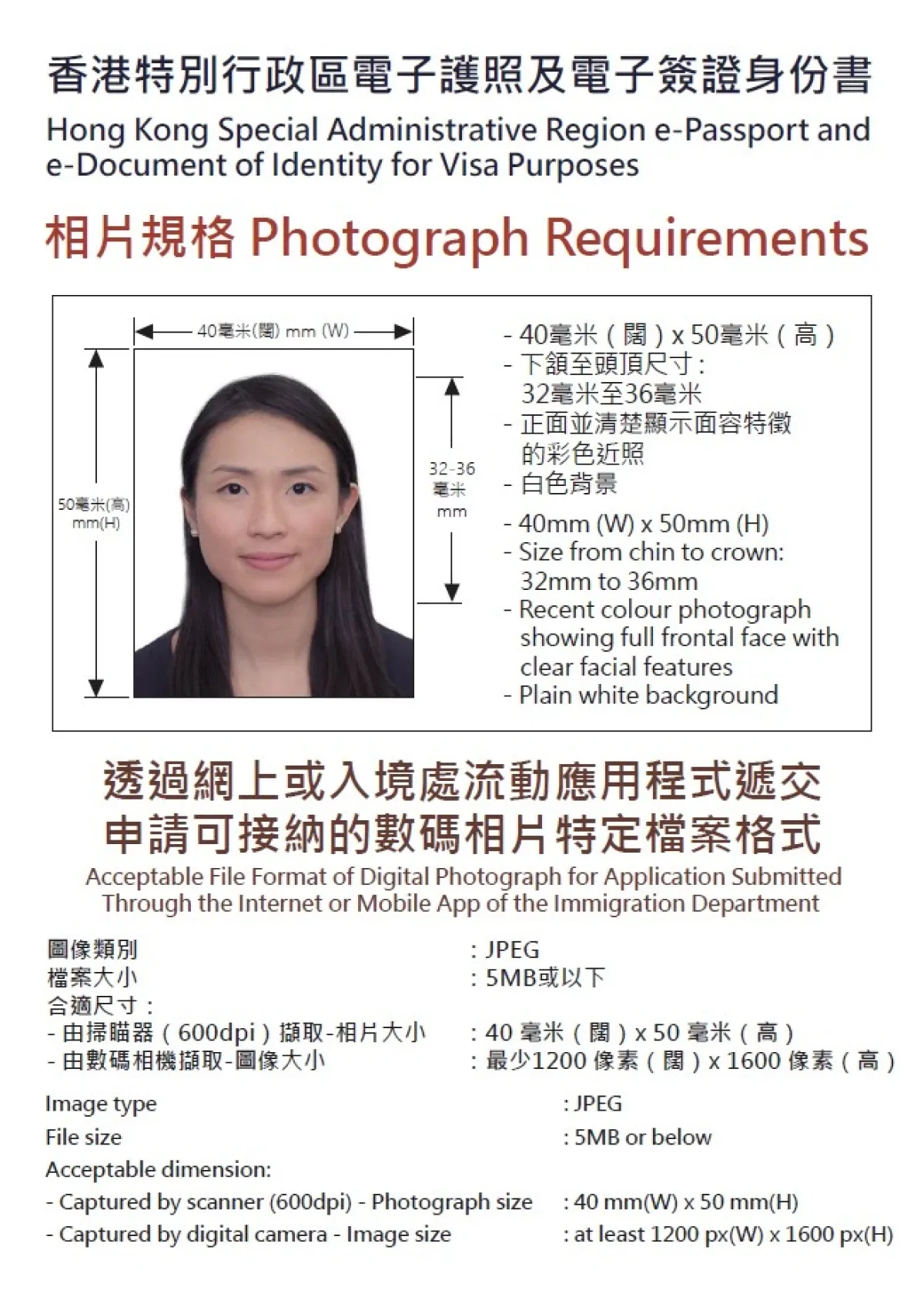
- Size Specifications: 40mm x 50mm. The size of the face from chin to the top of the head should be between 32mm and 36mm, and there should be adequate space above the head.
- Background Colour: White
- Facial Requirements: Your entire face should be visible and clearly show your facial features.
- Requirements for Hong Kong SAR Passport Photos:
- Do not wear hats or headgear when taking the photo. Heavy makeup should be avoided, and clothing should not be too dark or too light.
- The following photos will not be accepted:
- The applicant is not centred in the photo.
- Glasses are obscuring the applicant's eyes.
- Hair is covering the applicant's eyes or eyebrows.
- Reflections on the applicant's face or glasses.
- Shadows.
- Overexposed or underexposed photos.
- The photo will be engraved using laser technology onto the personal data page of the passport or visa identity document. The quality of the photo on your passport or visa will depend on the quality and colour of the photo you provide.
- Do not fold, staple, or clip the photo to the application, nor write on the back of the photo, as this will render it unsuitable for use in making passports or visa identity documents.
- If the photos submitted by post or in person do not meet the standards, the application will not be accepted and will be returned to the applicant.
China Home Return Permit Photo Requirements
- Size Specifications: 48 x 33mm
- Effective Photo Area: 40 x 30mm
- Background Colour: Pure white, with no gradient, shadows, people, or objects in the background.
- Photo Requirements:
- Must be a recent colour photo taken within the last six months.
- The applicant should sit upright, with level shoulders, and face the camera directly.
- The applicant should maintain a natural expression, with open eyes, hair not covering the eyebrows or eyes, and ears visible. Heavy makeup is not allowed.
- The applicant should wear dark-coloured clothing with a collar and should avoid uniforms or white clothing.
- The applicant should not wear tinted glasses (unless for medical reasons) and should avoid thick-framed glasses. The frames must not cover the eyes, and there should be no reflection on the lenses.
- Head coverings are not allowed unless for religious, medical, or cultural reasons (proof must be provided), and they must not cover the face or create shadows.
- Non-permanent accessories should not cover the face. High or upright hairstyles may interfere with detection results and cause the photo to be disqualified.
- Lighting should be even, with no shadows or bright spots on the face.
- The portrait should be in focus, with clear layers and natural colours.
- No technical editing of facial features (e.g., scars, moles, hairstyle) is allowed.
UK Passport and Visa Photo Requirements
- Size Specifications: 35mm x 45mm. The size of the face from chin to top of the head should be 29mm x 34mm.
- Background Requirements: Plain light-coloured background with no patterns or objects.
- Photo Requirements:
- The photo must be a colour photo taken within the last month.
- The applicant should stand 0.5 meters away from the background and about 1.5 meters away from the photographer to capture the head, shoulders, and upper body. There should be no shadows on the face or background.
- The face should be directed toward the camera, with lips closed, no smiling or frowning, and a natural expression.
- Unless for religious or medical reasons, headwear is not allowed. If glasses are needed, they must not have tinted lenses, and the eyes must be clearly visible without any glare or reflection.
- Hair should not cover the eyes or face.
- The photo should not have any creases or tears and must not contain any marks.
Canada Passport and Visa Photo Requirements
- Size Specifications:
- Passport: 50mm x 70mm (The size of the face from chin to the top of the head should be 31mm x 36mm, with appropriate space left above the head).
- Visa: 35mm x 45mm (The size of the face from chin to the top of the head should be 31mm x 36mm, with appropriate space left above the head).
- Background Requirements: Pure white or other light-coloured background with no patterns. For babies, a plain white background is acceptable whether lying down or sitting in a car seat.
- Photo Requirements:
- The photo must be a black-and-white or colour photo taken within the last six months.
- The applicant should maintain a natural expression, face the camera, and keep lips closed without smiling or frowning.
- Sunglasses, thick-framed glasses, or tinted lenses are not allowed. If glasses are needed, ensure the eyes are clearly visible with no glare or reflection.
- Headwear is not allowed unless for religious reasons, but it must not cover the face.
- Hair can be tied up or left down but must not cover the face.
- If medical equipment is needed during the photo, a doctor’s certificate with a signature must be submitted along with the passport application.
- For baby photos, the parent’s hands must not be visible in the frame.
US Passport and Visa Photo Requirements
- Size Specifications: 50mm x 50mm, with the head size (from the top of the hair to the bottom of the chin) occupying 50%-69% of the total photo height (25mm x 35mm). The eyes should be positioned within 28mm to 35mm from the bottom of the photo.
- Background Requirements: White background.
- Photo Requirements:
- The photo must be a colour photo taken within the last six months.
- The face should be directed toward the camera with a natural expression.
- Casual attire is acceptable, but uniforms are not allowed (except for religious reasons).
- Glasses are not allowed unless for medical reasons. A signed doctor’s certificate must be submitted with the passport application, and the eyes must be clearly visible without any glare or reflection.
- Accessories that may cover the ears or forehead, such as headphones, wireless headsets, hats, or scarves, should not be worn.
- Headwear is only allowed for religious reasons and must not cover the face or create shadows.
Taiwan Passport and Visa Photo Requirements
- Size Specifications: 35mm x 45mm. The head (from the top of the hair to the bottom of the chin) must occupy 70%-80% of the total photo height (32mm x 36mm). The head or hair must not touch the edge of the photo (except in the case of long hair for females that touches the bottom edge).
- Background Requirements: White background.
- Photo Requirements:
- The photo must be a colour photo taken within the last six months, with no ink marks or creases.
- The applicant’s eyes must be looking straight ahead with a natural expression, and no toothy smiles are allowed.
- Hair must not cover the eyes or facial contours, and ears, moles, birthmarks, and scars must not be covered (except in cases of microtia).
- Sunglasses, tinted contact lenses, thick-framed glasses, or tinted lenses are not allowed (except for visually impaired individuals). If other glasses are worn, the eyes must be clearly visible with no glare or reflection.
- If head coverings are worn for religious reasons, they must not cover any part of the face.
- For baby photos, no part of the chair, toys, pacifiers, or other people's body parts should be visible in the photo.
Prices for Taking ID Photos
| Photography Studio | Services Provided | Price |
| Max Sight Photo-Me |
|
|
| FOTOMAX |
|
|
| Cammy Photo Service |
|
|
| WHY STUDIO |
|
|
Tips for Taking Passport Photos
- Clothing Recommendations: Avoid wearing bright or patterned clothing; opt for solid-coloured tops instead.
- Lighting and Background: Use soft, even lighting to avoid shadows. A plain white background is the best choice.
- Expression and Posture: Maintain a natural expression, face the camera directly, and relax your shoulders.
- Equipment Suggestions: Use a high-resolution camera or smartphone to ensure the photo is clear and sharp.
Recommended Free Passport Photo Apps
Passport Photo App Recommendation 1: PhotoDirector
PhotoDirector is a powerful passport photo app that covers every step of the process, from taking a headshot, adjusting dimensions, changing the background, to even changing outfits. It recently introduced "AI Profile Photo" and "Business Style" features, making it easier for users to customise the photo style.
Passport Photo App Recommendation 2: ID Photo application
This app is designed with simplicity in mind. Its main features are capturing and creating passport photos, and it also provides general photo storage functions, making it ideal for children's passport photos. The app supports various passport photo sizes, including common 1-inch and 2-inch photos, as well as visa photo sizes for multiple countries. A user-friendly feature allows creating different sized passport photos on a single image, which can be directly exported in JPEG format for easy printing.
Passport Photo App Recommendation 3: 履歴書カメラ (Resume Camera)
Although Resume Camera is a Japanese passport photo app with a Japanese interface, its operation is surprisingly simple and intuitive. Users only need to align their face with the dashed lines on the screen to take the shot and move to the editing stage. The app offers skin tone and style adjustments, and even blemish and under-eye circle removal, with results comparable to professional software. Finally, users can choose the required size and download their passport photos.
Passport Photo App Recommendation 4: ID & Passport Photo
This app offers a variety of commonly used sizes and passport photo cropping options for different countries' visa specifications. The "Common Sizes" section includes detailed size categories, covering visas, passports, ID cards, and social media photos. Users simply need to select the desired country and import or take a photo, adjust the cropping range, and save it. The app also provides tutorials and tips on taking passport photos, helping users produce compliant photos.
Passport Photo App Recommendation 5: PASSPORT PHOTO MAKER
PASSPORT PHOTO MAKER is an app designed specifically for passport and visa photos, with built-in preset sizes for over 100 countries. Users can import or take photos, then use the in-app editor for adjustments. It offers both manual and automatic background removal features, and allows users to change the background colour and adjust brightness, contrast, saturation, and exposure. Once the editing is complete, the passport photo can be saved to the phone's gallery.
FAQs
Important Notes for Submitting Online Passport Photos
For applications submitted online or through the Immigration Department’s mobile app, specific file formats for acceptable digital photos (only applicable for passport applications) are required:
- Image Type: JPEG
- File Size: 5 MB or below
- Appropriate Dimensions:
- From scanner (600 dpi): Photo size: 40mm (width) x 50mm (height)
- From digital camera: Image size: at least 1200 pixels (width) x 1600 pixels (height)
Please note that the uploaded photo's compliance with specifications is not guaranteed. If necessary, the department may ask you to submit another photo for processing your application.
Preserve Precious Memories: Capture’s Photo Album Digitisation Service
Do you have a box full of old, precious photos that you're worried will fade or get damaged over time? Want to digitise these cherished memories for easy sharing and safekeeping? Capture HK offers professional photo album digitisation services to effortlessly convert these valuable memories into high-quality digital files for eternal preservation!
Capture HK uses high-quality scanning equipment to ensure that the digitised photos are clear and detailed, restoring the original colours and details of the photographs. Capture HK also offers a variety of file format options, making it easy for you to view and share the photos across different devices. Most importantly, we value your memories; every photo goes through strict handling and safekeeping to ensure your memories are secure and well-preserved, giving you complete peace of mind.
The Frame Digital Photo Frame
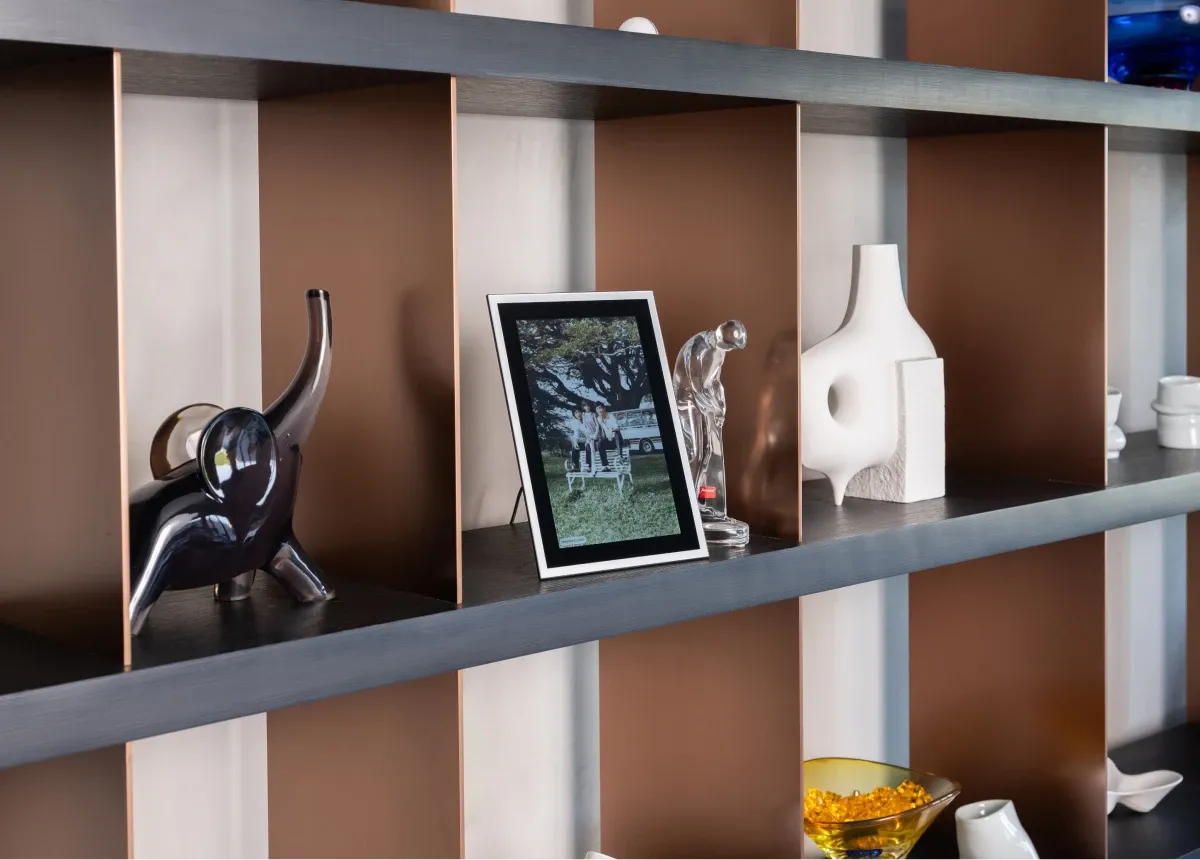
Want to relive your digital photos often? Capture’s The Frame digital photo frame can serve this purpose perfectly, gathering countless precious memories together and showcasing the most cherished moments of your life.
The Frame not only features an elegant design and high-quality display, but also comes with simple, user-friendly functions, allowing you to easily manage and display your photos. You can digitise your albums and photos and store them in The Frame, enabling you to enjoy these treasured memories anytime and anywhere.
Whether placed in the living room, bedroom, or office, The Frame adds warmth and personality to your space. It is not just a beautiful piece of decor, but also a priceless gift that can brighten your life.
Shop for The Frame now and relive your precious memories every day! Buy now.
References:
- Photo Requirements for Travel Document - Hong Kong Immigration Department
- Passport Photo Standards - ctshk
- Visas for Commonwealth Countries and British Overseas Territories - gov.uk
- [Passport Photo Guide] A Complete Overview of Photo Sizes, Requirements, and Specifications for Various Countries - photobi
- Immigrant Visas: Photograph Requirements - U.S. Consulate General Hong Kong & Macau
- Passport Photo App Recommendations 2024 | Comparison of 7 Free Apps for DIY Passport Photos: HKSAR Passport, ID Card - Edigest
- ROC Passport Photo Specifications - tecos
- Passport Photo App Recommendations: DIY Passport and ID Photos, Easily Apply Various Sizes with One Click - cyberlink
Loading...