Student Photos – Complete Guide to Sizes, Backgrounds, Retouching, and Shooting Techniques
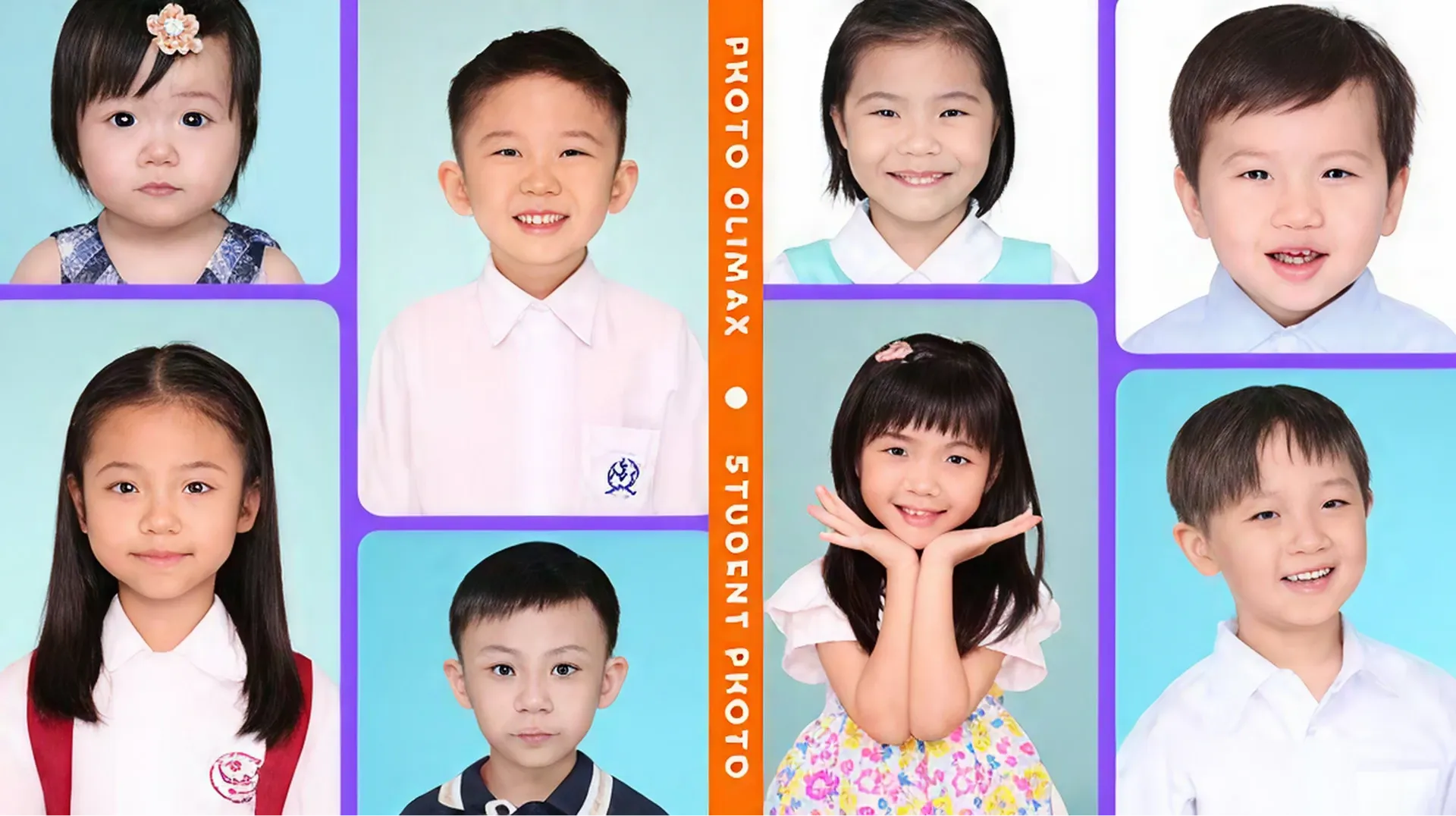
In Hong Kong, student ID photos are an indispensable part of student life—whether for school admissions, exam registration, student cards, or library cards, these images serve a critical identity-verification role. Especially for toddlers and primary pupils, parents must prepare professional-quality ID photos at each stage of their child’s growth to meet various formal requirements. A high-resolution, standards-compliant photo not only enhances the professionalism of application materials but also captures a precious record of the child’s development. This article, tailored to local needs, covers the importance of student ID photos, size requirements, background selection, retouching tips, practical guidance for photographing young children, and a comparison of professional studio versus DIY approaches. By following this guide, parents can easily produce qualifying student photos and ensure their child shines in school applications or document processing.
The Importance of Student ID Photos
Student ID photos play a crucial role in Hong Kong’s education and administrative systems. They are widely used for Primary One admission applications, student card issuance, DSE (Diploma of Secondary Education) exam registration, passports, identity cards, and various extracurricular activity certificates. A high-quality ID photo not only serves as an identity-verification tool but also reflects the student’s demeanor and the parents’ attention to detail. For example, in the Primary One “knock-door” interview, the photo submitted with the application often forms the school’s first impression of the child.
Moreover, the professionalism of the photo can affect application outcomes. According to local education websites (e.g. Ohpama and Eugene Baby), schools and institutions require clear, front-facing, unobstructed photos that meet specific size and background standards. A non-compliant photo may lead to rejection or a request for resubmission, wasting time and effort. Parents should therefore prioritise proper preparation to ensure photos meet all specifications and showcase their child at their best.
Size Requirements for Student ID Photos
Hong Kong’s size requirements vary by use. Common specifications, based on government and educational institution standards, include:
- Hong Kong ID Card: 40 mm × 50 mm (W × H), head height 32–36 mm (chin to crown), borderless.
- Passport: 50 mm × 50 mm, head height 34–40 mm, white background, borderless.
- Primary One Admission: typically 35 mm × 45 mm or 40 mm × 50 mm, white or light-coloured background (school-specific).
- Student Card & Exam ID: often 25 mm × 30 mm or 35 mm × 45 mm—check institution guidelines.
- DSE Registration: 40 mm × 50 mm, white background, borderless, taken within the last six months.
Tip: Parents should consult official school or institution guidelines in advance to ensure exact dimensions. Print at high resolution (≥300 dpi) for clarity and prepare extra copies.
Background Choices for Student ID Photos
Background selection is critical to pass photo standards. Hong Kong typically requires a simple, solid-colour background to highlight facial features:
- White Background: The most common choice, suitable for ID cards, passports, DSE, and most school applications. Clean and free of distractions.
- Light Blue Background: Accepted by some schools or student cards, especially for kindergarten and primary applications, offering a softer look.
- Other Light Backgrounds: Such as light gray or beige, occasionally used for informal credentials like activity certificates—confirm institutional requirements first.
Notes:
- Avoid patterns, textures, or shadows—these lead to rejection.
- Ensure even lighting with no glare or colour casts.
- For DIY shoots, use a plain white wall or hang a white sheet as a backdrop.
Retouching Tips for Student ID Photos
Retouching can enhance professionalism but must remain natural. Practical suggestions:
- Brightness & Contrast: Increase to define facial contours—especially eyes and features. Free tools like Photopea or apps like Snapseed work well.
- Background Cleanup: Remove minor spots or shadows using software (e.g. Photoshop Express) to keep the background uniformly solid.
- Cropping & Resizing: Use Canva or Photopea to crop to the required dimensions (e.g. 40 mm × 50 mm) and ensure the head occupies roughly 70–80% of the frame.
- Subtle Skin Smoothing: Lightly reduce blemishes without over-whitening or altering skin tone to maintain authenticity.
- Specification Check: After editing, confirm no blurriness, pixelation, or colour shifts. Save as high-resolution JPG or PNG.
Avoid adding filters, borders, or special effects—they’re not allowed on official photos.
Tips for Photographing Babies and Young Children
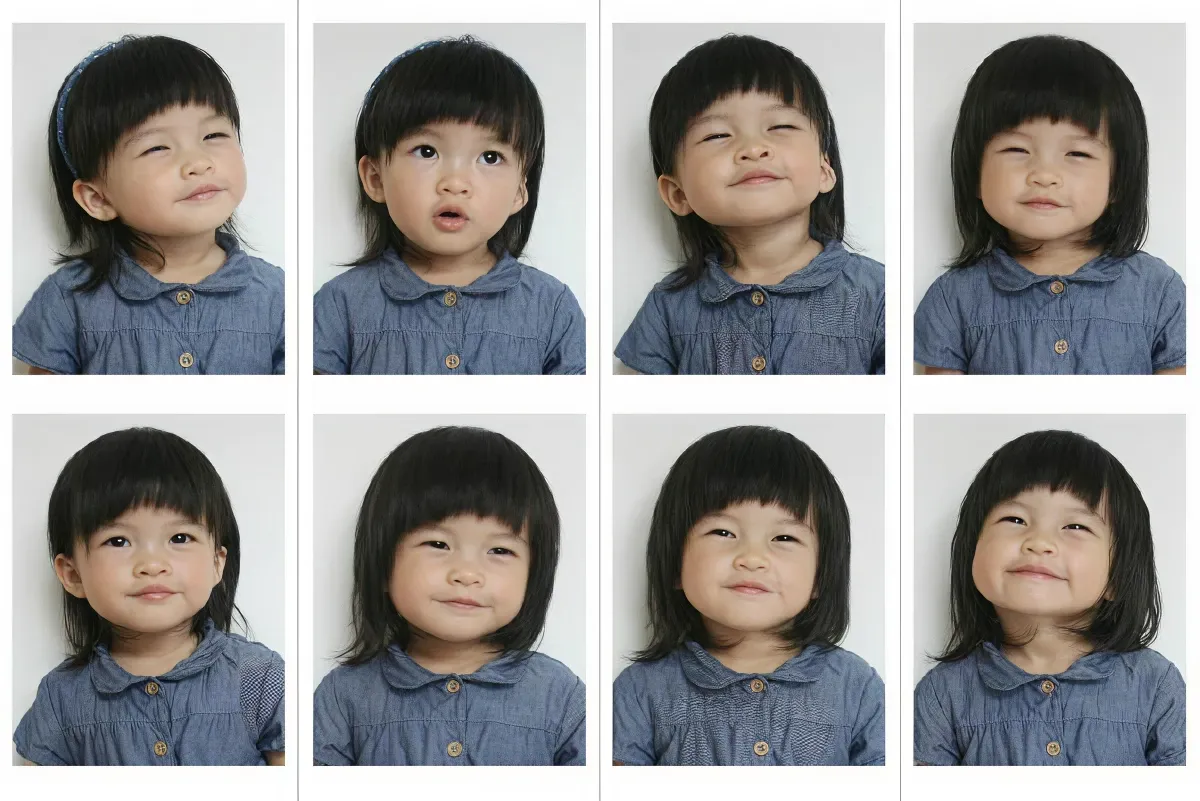
Capturing compliant ID photos of toddlers or young students can be challenging, as they struggle to stay still. These tips help parents succeed:
- Choose the Right Time: Shoot when the child is well-rested and alert (e.g. after breakfast or naptime).
- Create a Relaxed Atmosphere: Play favourite music or tell a story to elicit natural smiles. Avoid forcing stiff poses.
- Pose Guidance: Have the child sit up straight with shoulders level and gaze directly at the camera. Use toys or props to grab attention.
- Lighting Setup: Prefer natural light (by a window) or soft indoor lighting. Avoid harsh flashes or shadows.
- Clothing Selection: Pick simple, light-coloured outfits (white or pale blue shirts). No busy patterns or reflective materials. A uniform adds formality.
- Take Multiple Shots: Shoot several photos to choose the best expression and ensure eyes are open.
Extra tips: If needed, ask a friend or family member to assist, or photograph in a familiar environment to reduce anxiety.
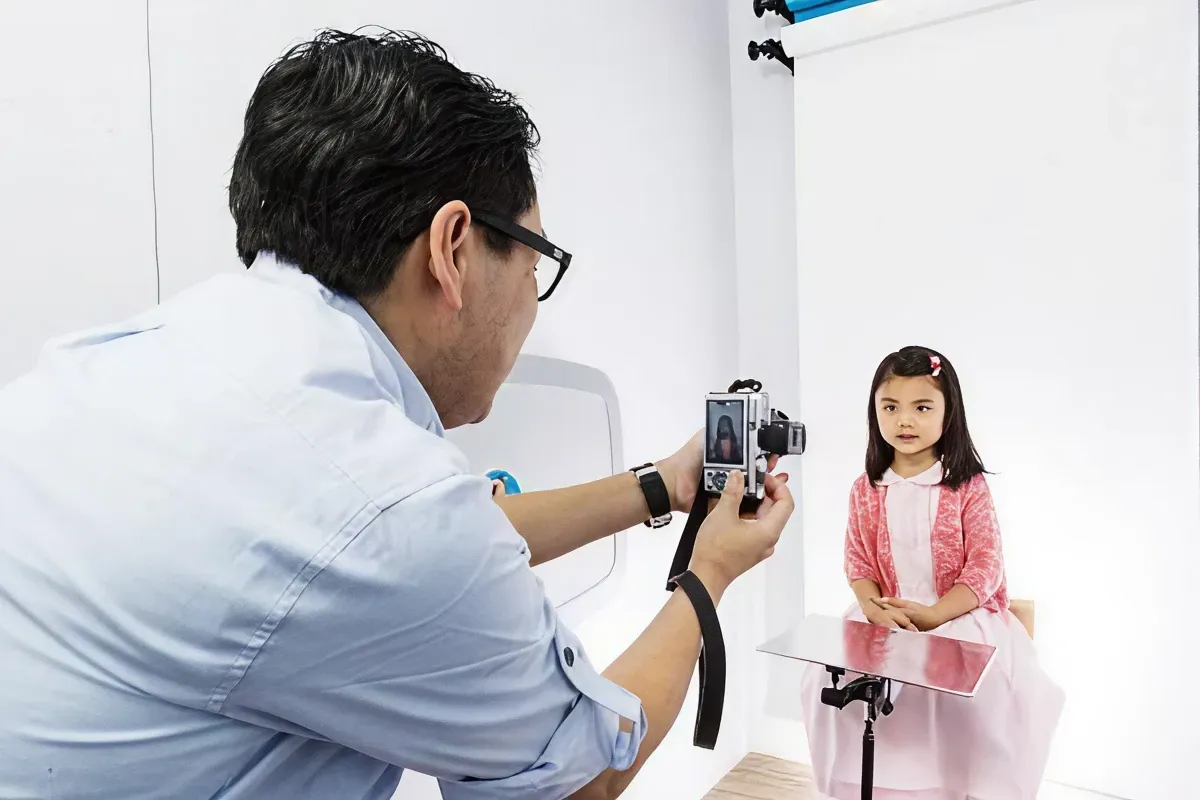
Advantages of Professional Studio Photos
Professional studios in Hong Kong offer student ID photo services with these benefits:
- Expert Equipment & Techniques: High-resolution cameras, professional lighting, and backdrops ensure clear, compliant photos.
- Fast Turnaround: Most studios provide prints within 30 minutes—ideal for urgent needs.
- Experienced Photographers: Familiar with ID requirements and skilled at guiding uncooperative children.
- Multi-Purpose Packages: Offer various sizes (ID card, passport, student card) in one session.
- Cost Estimate: HK$50–HK$150 per set, depending on the number of prints and studio location.
Is DIY Student ID Photography Feasible?
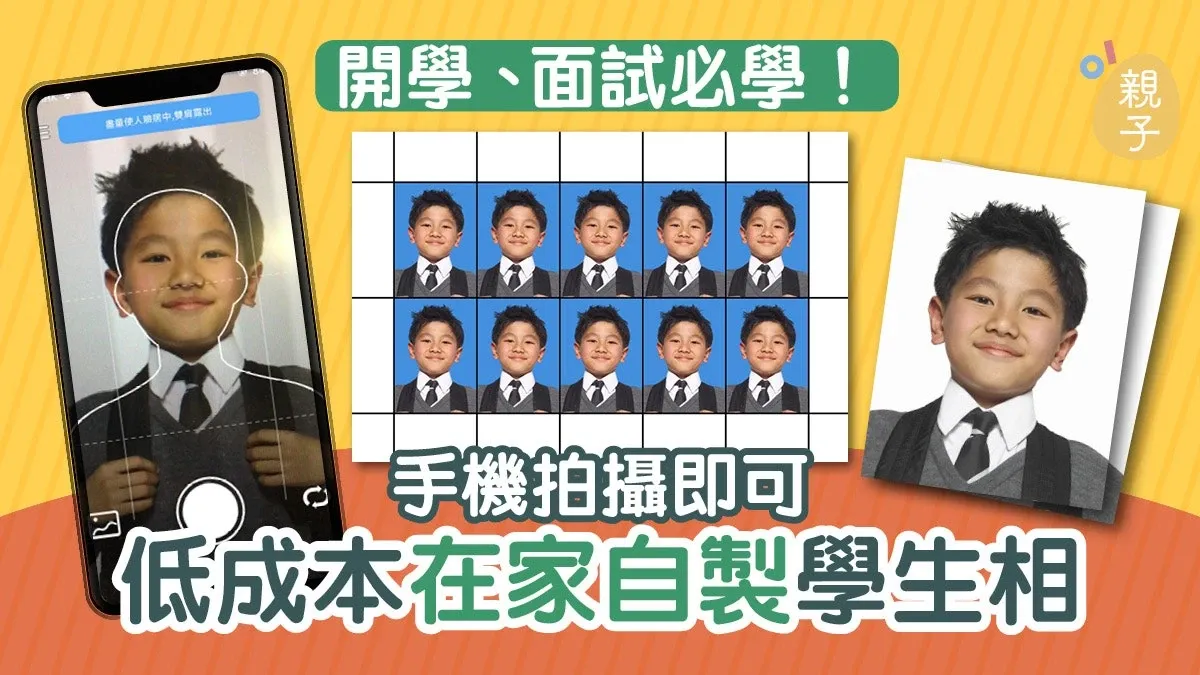
After the pandemic, more parents opt to shoot ID photos at home. Feasibility and tips:
- Feasibility:
- Pros: Lower cost (no studio fee), flexible timing, unlimited retakes until satisfied.
- Cons: Requires good camera quality (≥12 MP), even lighting, and a compliant background. Retouching skills are needed for a professional finish.
- Essential Tools:
- Camera: Smartphone (iPhone/Android) or digital camera in high-resolution mode.
- Background: Plain white or light-colored sheet/wall, wrinkle- and pattern-free.
- Lighting: Ring light or natural window light to avoid shadows.
- Tripod: Ensures stability and sharp images.
- Free Retouching Tools:
- Canva: Templates for ID photos, size adjustment, free JPG/PNG download.
- Snapseed: Mobile app for brightness, contrast, and background cleanup.
- Photopea: Online Photoshop-like editor for detailed edits.
- Printing Advice: Print at a local photo shop on high-quality paper—HK$10–HK$20 per copy.
Notes: DIY photos must strictly meet size and background standards. Always compare the final image against official guidelines. For critical documents (passport, ID card), professional studio photos are recommended to guarantee compliance.
Preserve Your Precious Memories with Capture’s Photo Album Digitisation Service
Do you have a box full of old photographs, worried that they may fade or get damaged over time? Now, you can preserve these treasured memories by digitising them with Capture.HK’s professional photo album digitisation service. Our service allows you to convert your old photos into high-quality digital files, ensuring they are safely stored and easily shareable.
At Capture.HK, we use high-resolution scanning technology to restore your photos with sharp details and vibrant colours, maintaining their original quality. We also offer various file formats, making it easy for you to access and share them across different devices. Most importantly, we handle your photos with utmost care, ensuring they are safely processed and preserved.
The Frame Digital Photo Frame
Want to relive your digital memories every day? Capture’s The Frame digital photo frame is the perfect solution! Designed to showcase your most cherished moments, The Frame allows you to display a lifetime of memories in one elegant frame.
With its sleek design and high-resolution display, The Frame offers an effortless way to organise and enjoy your favourite photos. Simply digitise your photo collection, upload them to The Frame, and enjoy your memories anytime, anywhere.
Whether placed in the living room, bedroom, or office, The Frame adds a touch of warmth and personality to your space. More than just a decorative item, it’s a meaningful gift that brings your treasured moments to life.
Get The Frame today and enjoy your memories every day!
References:
- ID Photo Requirements and Specifications – gov.hk
- Primary One Interview | ID Photo Shooting Tips and Precautions – ohpama
- How to Take ID Photos for Babies? 5 Tips to Get Your Little One to Pose Easily – eugenebaby
- ID Photo Shooting Guide | DIY vs Professional Studio Comparison – parentingheadline
- Primary One Admission Application | Student Photo and Portfolio Preparation Guide – topschool
- Hong Kong Identity Card and Passport Photo Specifications – immd.gov.hk
- 10 Practical Tips for Taking ID Photos of Children – champimom
- DIY ID Photos | Achieve Professional Results with Your Smartphone – getsetparents
- Primary One Interview | Comprehensive Guide to ID Photo Background and Size Requirements – topick
- Professional Studio Recommendations: Detailed Services of Kodak Express and Fotopixel – hk01
Extended Readings:
Loading...