What is Nano Banana? Model, Command Guide, and Full Usage Tutorial
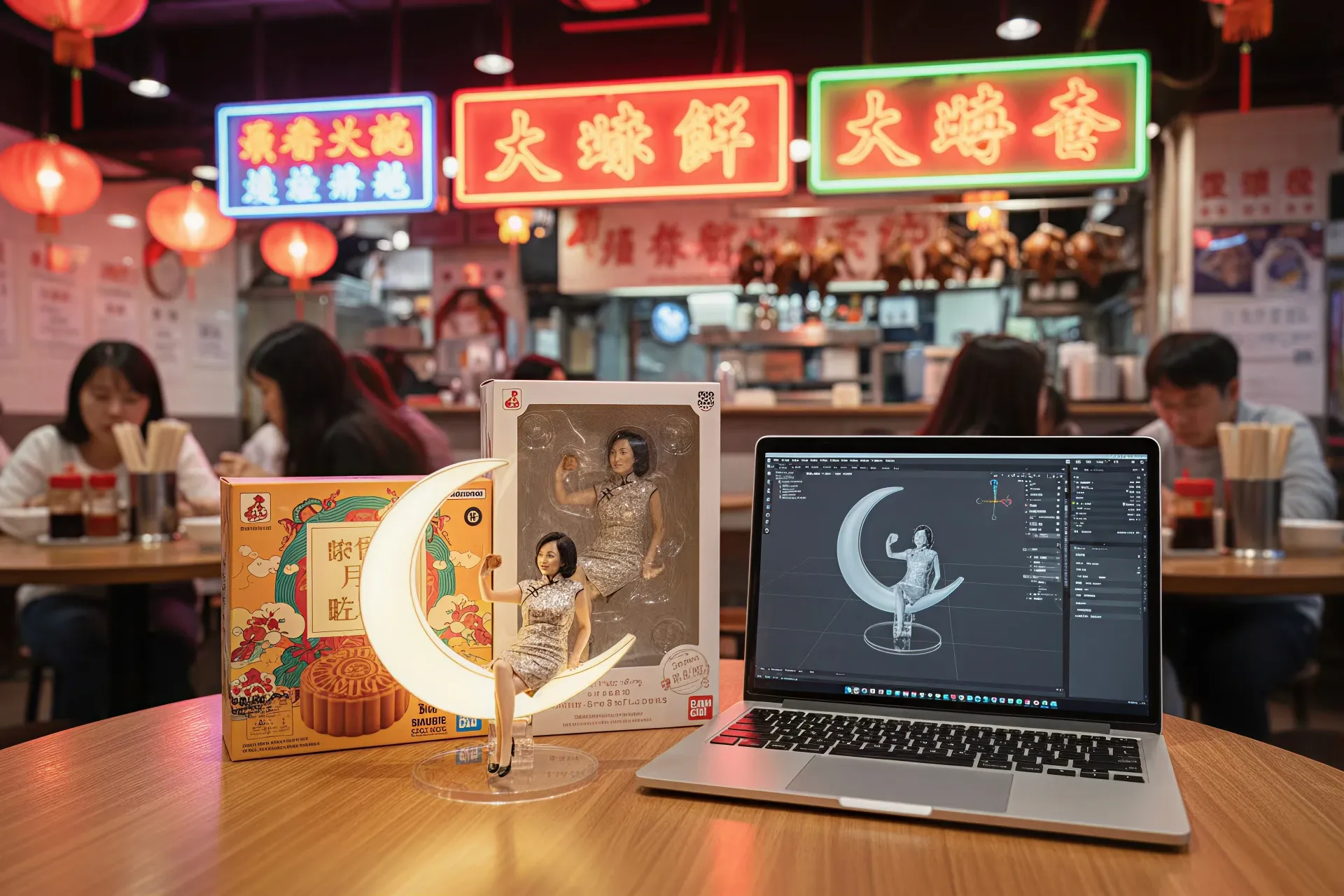
Nano Banana is a revolutionary breakthrough in the AI imaging field in 2025, developed by Google DeepMind as the Gemini 2.5 Flash Image model, renowned for its outstanding text-based editing capabilities. This model not only generates high-quality images but can also precisely modify existing photos, maintaining character consistency and scene integration, far surpassing traditional tools. With its integration into the Gemini app and API, it allows creators to achieve professional editing through simple prompts. Market forecasts predict that AI imaging tools will grow by more than 50%. This article provides a comprehensive analysis of Nano Banana’s model, features, commands, applications, pricing, and availability in Hong Kong, offering practical tutorials to help you get started quickly.
What is Nano Banana?
Nano Banana is an AI image generation and editing model launched by Google in August 2025. Its codename originated from the anonymous name “nano-banana” used during internal testing, symbolising its lightweight and efficient characteristics. This model focuses on image processing through natural language prompts. Users only need to upload an image and enter text instructions to achieve complex edits, such as changing clothing, backgrounds, or blending multiple photos, without requiring professional software skills.
Initially tested anonymously on the LMArena platform, Nano Banana quickly went viral in the AI community because it led in image editing benchmark tests, surpassing competitors such as Flux Kontext. The model’s core advantage lies in “character consistency”, meaning it maintains a person’s appearance, posture, and details across multiple edits, avoiding common distortions or inconsistencies. This makes it an ideal tool for creators, from personal photo enhancement to commercial product rendering.
Nano Banana was born from the evolution of the Google Gemini series, integrating visual-language processing technology that can “understand” the context of prompts and apply world knowledge to generate logically coherent images. For example, the instruction “place this person in a snowstorm” not only changes the background but also adjusts lighting and clothing to match the scene. The model has a built-in SynthID watermark to ensure the traceability of AI-generated content, promoting ethical use. In 2025, it was integrated into the Gemini app, Google AI Studio, and Vertex AI, allowing both developers and general users to access it. Overall, Nano Banana is not just a tool but a symbol of the AI creative revolution, lowering barriers and enabling anyone to become a master of image editing.
The Nano Banana Model
The core model of Nano Banana is the Gemini 2.5 Flash Image Preview, a lightweight multimodal AI focused on efficient image processing. Released on August 25, 2025, the model supports high-resolution output (about 1,290 output tokens per image), with generation times of only 15–30 seconds, suitable for rapid iteration. Its architecture is based on the Gemini series, incorporating advanced vision-language models that can handle text + image inputs and support multi-turn conversational editing, meaning the AI remembers previous instructions and provides contextually coherent modifications.
The model’s strength lies in “one-shot accuracy” editing, understanding complex prompts through natural language, such as face completion, object placement, or style transfer, while maintaining realistic quality. Compared to the earlier Gemini 2.0 Flash, Nano Banana improves quality and control, solving the problem of misinterpreting vague prompts. Developers can integrate it through the Gemini API, supporting languages such as Python. Example code includes uploading an image and generating content.
Comparing Nano Banana with Other AI Tools
Compared with DALL‑E 3, Nano Banana focuses more on editing rather than pure generation. DALL‑E is suitable for creating from scratch, but its consistency is weaker. Midjourney offers rich artistic styles but requires operation through Discord, while Nano Banana’s natural language interface is more intuitive.
Compared with Flux Kontext, Nano Banana “completely outperforms” in scene integration and character preservation. User reports show it can seamlessly integrate edits without distortion.
Stable Diffusion is open‑source and flexible but requires hardware support, whereas Nano Banana’s cloud‑based free trial is more user‑friendly. Adobe Firefly integrates professionally with Photoshop but is expensive; Nano Banana is low‑cost (about $0.039 per image) and supports multi‑image blending. Overall, Nano Banana leads in benchmark tests, making it the top choice for image editing in 2025.
What Functions Does Nano Banana Have?
Nano Banana offers a wide range of functions, covering generation, editing, and blending. Its core feature is text-based editing: after uploading an image, you can enter a prompt such as “change the outfit to a black dress”, and the AI will instantly modify it while preserving the subject’s original appearance. It also supports multi-turn editing, where the AI remembers context — for example, first “add a hat”, then “change the color to red” — without needing to repeat the description.
Another highlight is multi-image blending: upload two images and prompt “make the woman pet the dog and take a photo together”, and the AI generates a natural composite. The style transfer feature can transform an image into impressionist or cartoon styles. Object manipulation includes adding, removing, or replacing items, such as “place on the 50th floor of a skyscraper.” It also has built-in sketch analysis, converting hand-drawn sketches into digital versions, making it useful for education or design prototyping.
How to use:
1. Log in to the Gemini app or Google AI Studio (Google account registration is free).
2. Upload an image (supports JPG/PNG).
3. Enter a prompt (e.g., “change the background to a forest”).
4. After generation, download or continue editing.
Tips: Use detailed descriptions, avoid vague terms, and include “photorealistic” to improve quality. Enterprise users can scale up via Vertex AI, which supports batch processing. These features make Nano Banana suitable for both amateurs and professionals, revolutionising the image editing workflow.
Popular Nano Banana Commands
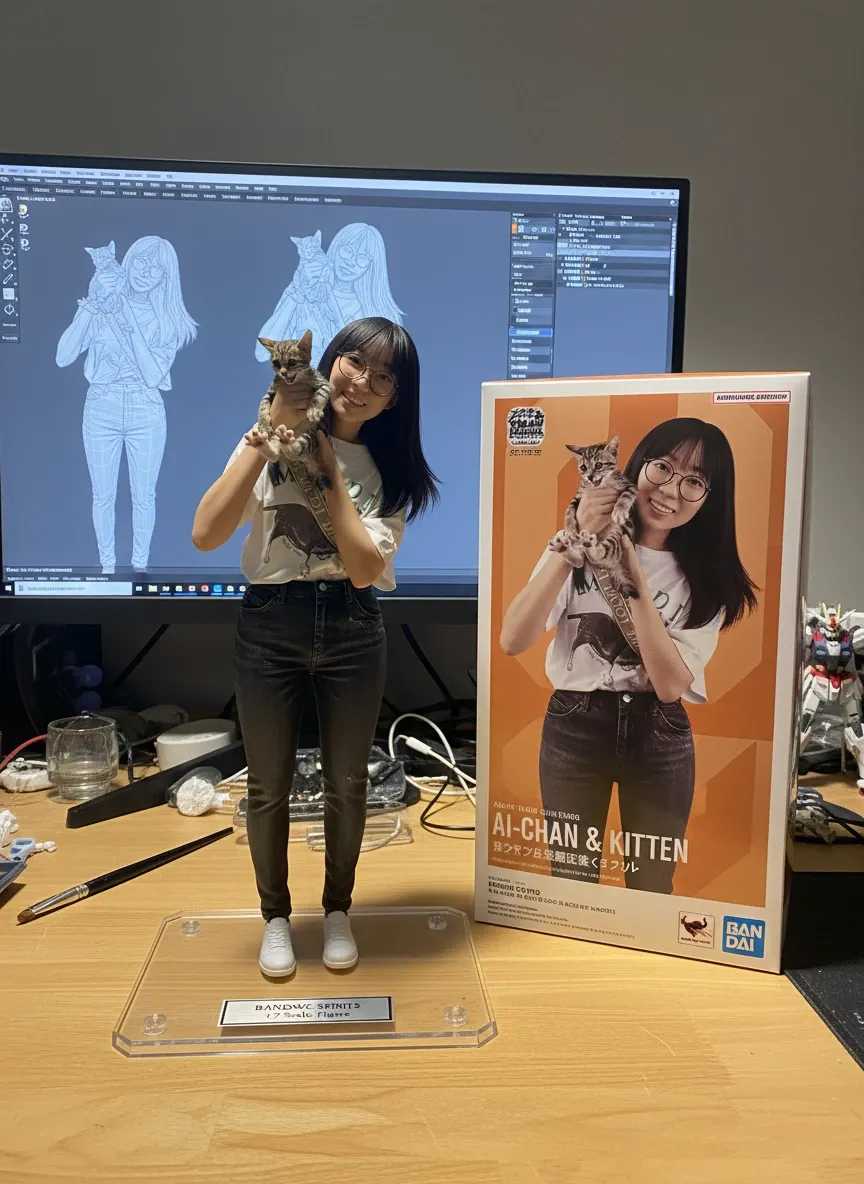
Nano Banana uses natural language commands, without complex parameters. Popular commands include:
- Clothing/Location change: “Make this woman wear this black dress in a snowy mountain.” – Tutorial: Upload a portrait and clothing image, AI merges them to generate a try-on effect.
- Object add/remove: “Add a hat to the person and remove the background.” – Suitable for product rendering, ensuring consistency.
- Multi-image blending: “Blend this woman with this dog, make them together in a living room.” – Tutorial: Upload two images, AI automatically adjusts lighting and posture.
- Style transfer: “Turn this photo into chibi style carved in wood.” – Popular on social media, generating cute variants.
- Face/Scene editing: “Create the whole face and place in a blizzard.” – Maintains realism, used for incomplete image restoration.
- Multi-turn editing: “First change outfit to formal, then add soft lighting.” – AI remembers steps, improving efficiency.
Command tips: Describe elements in detail (such as colour, lighting), use English for best results, and test variations to optimise. These commands allow beginners to easily create professional images.
Application Scope of Nano Banana
Nano Banana has wide applications, from personal to commercial use.
- Creative fields: Artists for concept art and storyboards, maintaining character consistency; photographers for photo restoration or virtual try-ons.
- Marketing: Generate product renders, social media images, e.g., blending products into scenes to enhance advertising appeal.
- Education & design: Convert sketches to digital, assist teaching; game developers to create assets.
- Business use: E-commerce virtual try-ons, consistent brand asset generation.
- Social media: Quickly edit UGC, create AI influencers. By 2025, it supports multiple languages, expanding global applications.
- Tutorial case: Upload a product image, prompt “place on different coloured backgrounds”, and generate multiple variants for catalogues.
Does Nano Banana Require Payment?
Nano Banana offers free trials, with daily generation limits through the Gemini app; Google AI Studio also provides free testing. API pricing is $30 per 1,000 output tokens, about $0.039 per image (1,290 tokens). Pro versions such as Imogen provide unlimited use, with monthly fees depending on the platform. Compared with OpenAI, it is 95% cheaper, making it suitable for high-volume users. No additional hardware is required, as it runs on the cloud.
Tutorial: Register a Google account to start for free; if you exceed the limit, switch to paid usage.
Is Nano Banana Available in Hong Kong?
Yes. Nano Banana is available in Hong Kong as a global Google product, with no regional restrictions. Hong Kong users can access it through the Gemini app or AI Studio, supporting local networks. While Europe occasionally has content moderation, regions in Asia such as Hong Kong remain fully accessible.
Tutorial: Log in with a Google account, no VPN required. If issues occur, check account settings. In 2025, Google expanded support in Asia, allowing Hong Kong users to enjoy full functionality.
Preserve Your Precious Memories with Capture’s Photo Album Digitisation Service
Do you have a box full of old photographs, worried that they may fade or get damaged over time? Now, you can preserve these treasured memories by digitising them with Capture.HK’s professional photo album digitisation service. Our service allows you to convert your old photos into high-quality digital files, ensuring they are safely stored and easily shareable.
At Capture.HK, we use high-resolution scanning technology to restore your photos with sharp details and vibrant colours, maintaining their original quality. We also offer various file formats, making it easy for you to access and share them across different devices. Most importantly, we handle your photos with utmost care, ensuring they are safely processed and preserved.
The Frame Digital Photo Frame
Want to relive your digital memories every day? Capture’s The Frame digital photo frame is the perfect solution! Designed to showcase your most cherished moments, The Frame allows you to display a lifetime of memories in one elegant frame.
With its sleek design and high-resolution display, The Frame offers an effortless way to organise and enjoy your favourite photos. Simply digitise your photo collection, upload them to The Frame, and enjoy your memories anytime, anywhere.
Whether placed in the living room, bedroom, or office, The Frame adds a touch of warmth and personality to your space. More than just a decorative item, it’s a meaningful gift that brings your treasured moments to life.
Get The Frame today and enjoy your memories every day!
References:
- Image editing in Gemini just got a major upgrade - Google
- I Tested Google’s New Nano Banana Image AI, and It’s Insane - medium
- Google Nano Banana Overview | ImagineArt - imagine art
- The “Nano Banana” AI Explained: Google Gemini’s Mind-Blowing Photoshop Killer! - Youtube
- Nano Banana is fantastic, but significantly over-hyped. Here's the reality:d - reddit
- Nano Banana is here — what it means for video creators - artist blog
- Nano Banana Tutorial: How to Use Google’s AI Image Editing Model in 2025 - Anangsha Alammyan
- I spent the weekend comparing Gemini’s new Nano Banana image tool to ChatGPT – and there’s one clear winner - techradar
- Nano Banana Tutorial: How to Use Google’s AI Image Editing Model in 2025 - medium
- How to Use Nano Banana: Step-by-Step AI Image Editing Guide - visualgpt
- Nano Banana
Extended Readings:
- What is Facial Recognition? Learn About the Latest Technology, Systems, Apps, and Real-World Applications
- AI Photo Organisation Guide: From Manual Sorting to Smart Categorisation! Save Tons of Time! (With Software/App Recommendations)
- [Google Face Search] How to Efficiently Manage Your Photos? All the Practical Tips
Loading...